Understand the Core Ingestion Pipeline Components
The Ingestion Pipeline is composed of the following core components:
- Parser component: Reads and understands your files, such as PDFs, images, emails and other file types, and extracts text and structure.
- Chunker component: Splits parsed content into chunks. The custom pipeline menu offers Token Chunker and Title Chunker.
- Transformer component: Enriches chunks with summaries, keywords, questions, tags, or metadata. Multiple functions can be enabled in one node.
- Compiler component: Organizes chunks into a knowledge tree, mind map, or wiki using a compilation template group and model.
- Indexer component: The final step. Sends the processed data to the document engine, supporting hybrid full-text and vector search.
A typical flow is Begin → Parser → Token Chunker → Transformer → Indexer. Transformer is optional. The outgoing connection menu also provides Compiler after Token Chunker, Title Chunker, or Transformer for knowledge compilation.
Add and Connect Components
Begin is the entry point for the uploaded file. Click a component's outgoing connection point to see the components available at that position.
- Connect Parser to a chunking component. Its structured
jsonoutput must be split intochunksfor downstream processing. - Choose one chunking component per canvas: Token Chunker or Title Chunker. A Chunker cannot connect directly to another Chunker.
- Add Transformer for enrichment or Compiler for knowledge compilation, then connect the final processing step to Indexer.
- Parser, Transformer, Compiler, and Indexer are each limited to one instance per canvas. Components already present are omitted from the add menu.
The connection menu depends on the selected node and the components already on the canvas. Complete the required fields and resolve Checklist issues before publishing.
Configure the Compiler Component
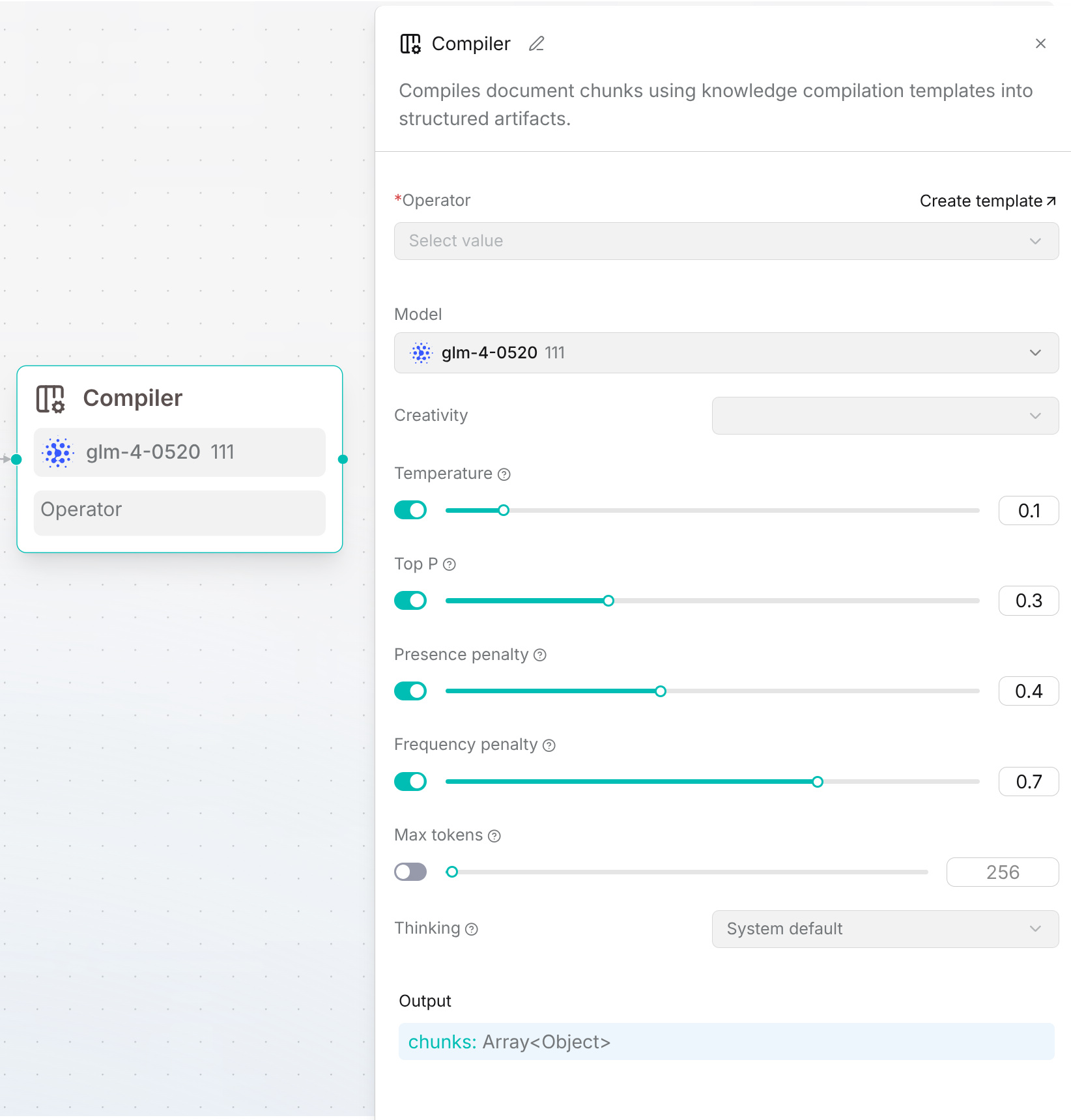
- Prepare a template group through Agent > Compilation operator > Create from blank. See template configuration. Then add Compiler after Token Chunker, Title Chunker, or Transformer; one Compiler is allowed per canvas.
- In the Compiler panel, select a template group under Operator. To create a group from this panel, click Create template beside the field and complete the dialog. You can also manage groups on the Compilation operator tab. Select the execution model under Model and review its model settings. The selected group determines the compilation tasks, such as a knowledge tree or wiki.
- Connect Compiler → Indexer to index the original and generated chunks. Click Save draft, publish a version, and validate the pipeline with a sample document.
Example: Begin → Parser → Token Chunker → Compiler → Indexer. After parsing, check the generated content and retrieval results. If the template group or model is unavailable after import, select an accessible one.