Configure the Indexer Component
Indexer prepares chunk data for full-text and embedding search. Connect it after the Chunker, Transformer, or Compiler and use the pipeline with a knowledge base to index documents.
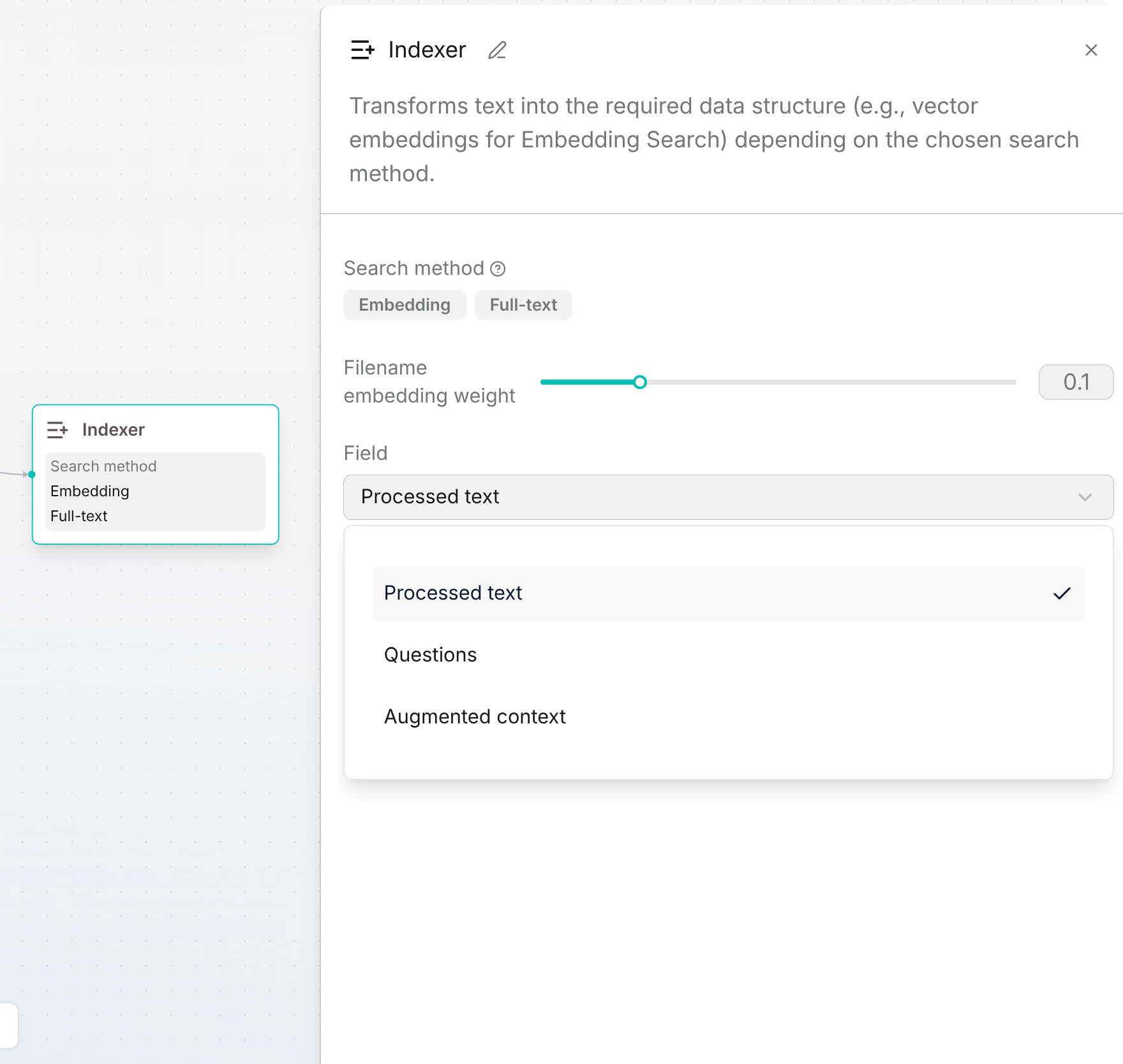
Click the Indexer node to open its panel. Review Search method, adjust Filename embedding weight, and select Field as described below.
Search method
The panel displays Embedding and Full-text as labels, rather than selectable checkboxes:
- Embedding: Vector representations for semantic search.
- Full-text: Tokenized text for keyword search.
Using both supports hybrid retrieval. Hybrid is not a separate option in this panel.
Filename embedding weight
Controls the contribution of the document filename to chunk embeddings. Defaults to 0.1; the UI slider ranges from 0 to 0.5.
Field
Select the content to embed:
- Processed text (default): Chunk text.
- Questions: Questions generated for the chunk.
- Augmented context: The generated summary.
For Questions or Augmented context, first enable the corresponding function in Transformer. This setting selects embedding content; it does not replace the configured search methods.
Embedding model
The model comes from the connected knowledge base, rather than an independent model selector in this panel. Knowledge bases searched together must use the same embedding model.
Apply and Validate
Click Save draft, resolve any Checklist issues, and publish a version. Apply it to a test Dataset, parse a sample document, and check both the stored chunks and retrieval results. If Field is Questions or Augmented context, also check that the upstream Transformer generated the corresponding content.