Basic Information Configuration
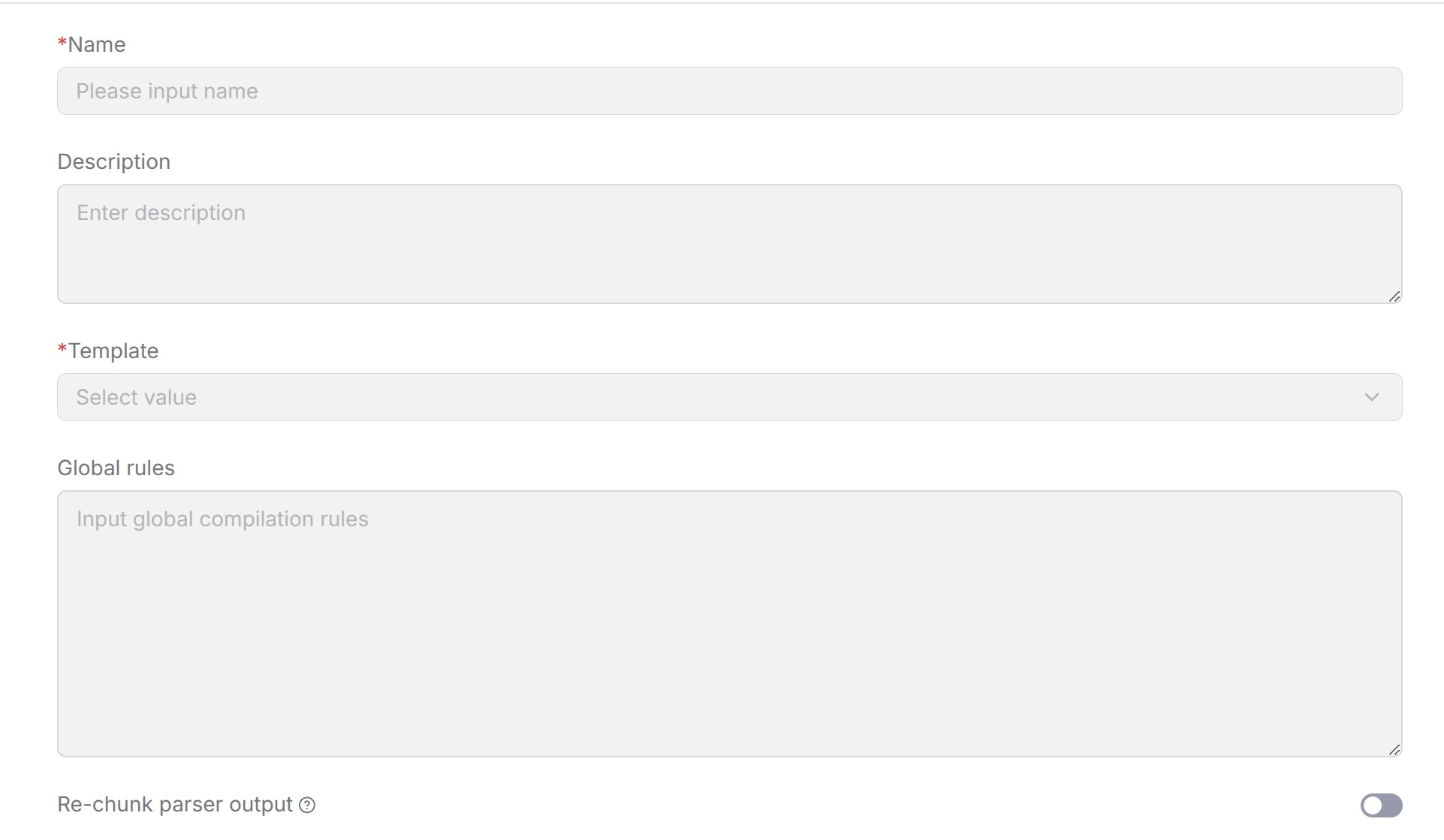
When creating or editing a knowledge compilation template, you need to complete the basic information configuration first. Basic information determines the template name and the basic compilation method. Select the extraction model separately in the pipeline's Compiler component. All knowledge compilation template types include these configuration items.
Template Name
Sets the name of the knowledge compilation template so different templates can be identified during later configuration and use. It is recommended to name the template based on its actual purpose so that the name clearly reflects the usage scenario.
Template Description
The template description explains the function, applicable scenarios, and main processing content of the current template, making later viewing and management easier.
Open the Template Editor
-
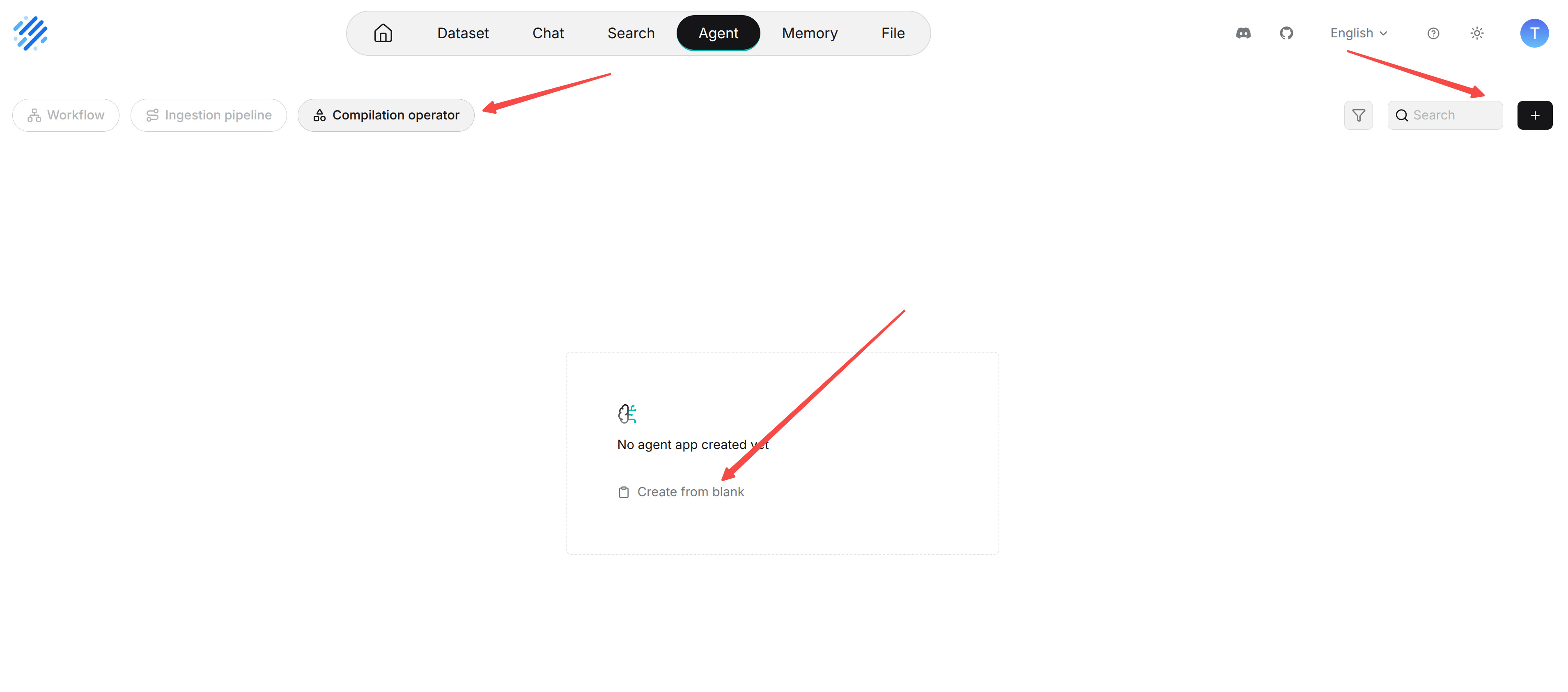
Open Agent and select Compilation operator.
-
Choose Create from blank. The Add template page opens directly.
-
Enter Name, optionally enter Description, then choose Template.
-
Complete Global rules and the settings that appear for the selected template type, then click Save. Use Back to return to the list without saving a new template.
Select the saved template group under Operator in the pipeline's Compiler component. Configure the compilation model there.
Template
Selects the knowledge artifact type to generate through knowledge compilation. The following templates are currently supported:
- Graph
- Tree
- PageIndex
- Mindmap
- Timeline
- Wiki
Different templates correspond to different knowledge organization methods and configuration items. After selecting a template, you can continue configuring the parameters for that template. The template is used to select the template type used by the knowledge compilation task.
Global Rules
Sets the requirements that the current knowledge compilation template must follow uniformly during execution.
The content controlled by global rules differs between templates. For example, Graph can use global rules to constrain entity and relationship extraction, while Wiki can use global rules to control content organization and generation requirements. For specific configuration methods, refer to the corresponding template chapter.
Re-chunk parser output
For Graph, Mindmap, PageIndex, and Timeline templates, Re-chunk parser output controls whether source chunks are regrouped before compilation. Turn it on to show Rechunking rules and review or edit the grouping instructions. Specify how adjacent chunks may be combined and how topic and section boundaries should be preserved. The supplied rules preserve source order and require every source chunk to be used exactly once.
These settings affect compilation and do not replace the Chunker component. Click Save to save the template, then reparse a sample with the pipeline that references it to check the result.
Tree has its own Re-chunk by tree leaves setting; Wiki does not show the shared Re-chunk parser output control. See template-specific configuration for the settings available to each type.