Metadata: Metadata Management
Metadata Overview
Metadata is structured information associated with documents or chunks. It is used to describe the source, category, time, owner, business attributes, or other supplementary information of content. Metadata can be used for document management, filtering, retrieval range restriction, and result analysis.
Metadata may come from system built-in fields, automatic generation during parsing, table column role configuration, or manual maintenance.
View and Manage Metadata
In document management or document details, you can view and maintain metadata related to documents. Metadata is displayed in list form, including Field, Type, Values, and related operations.
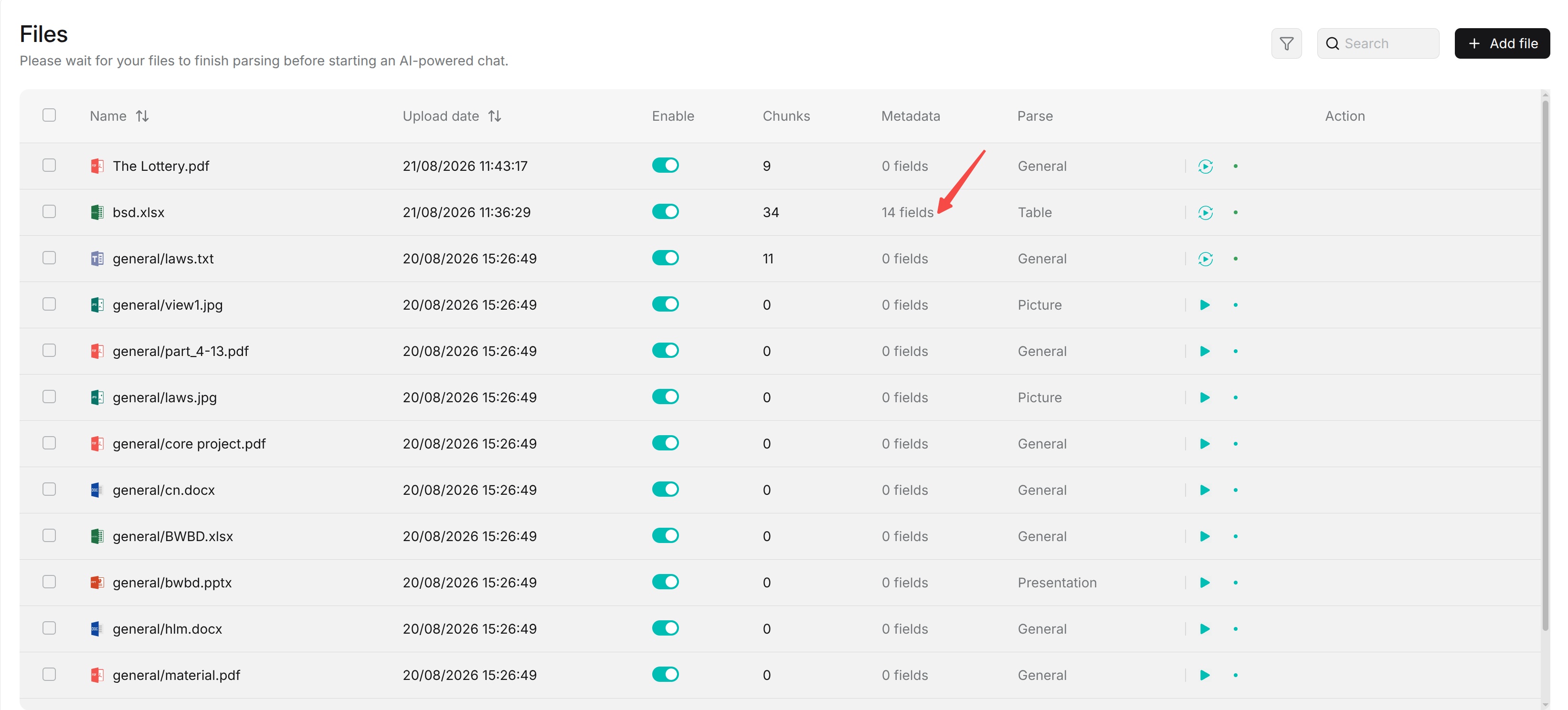
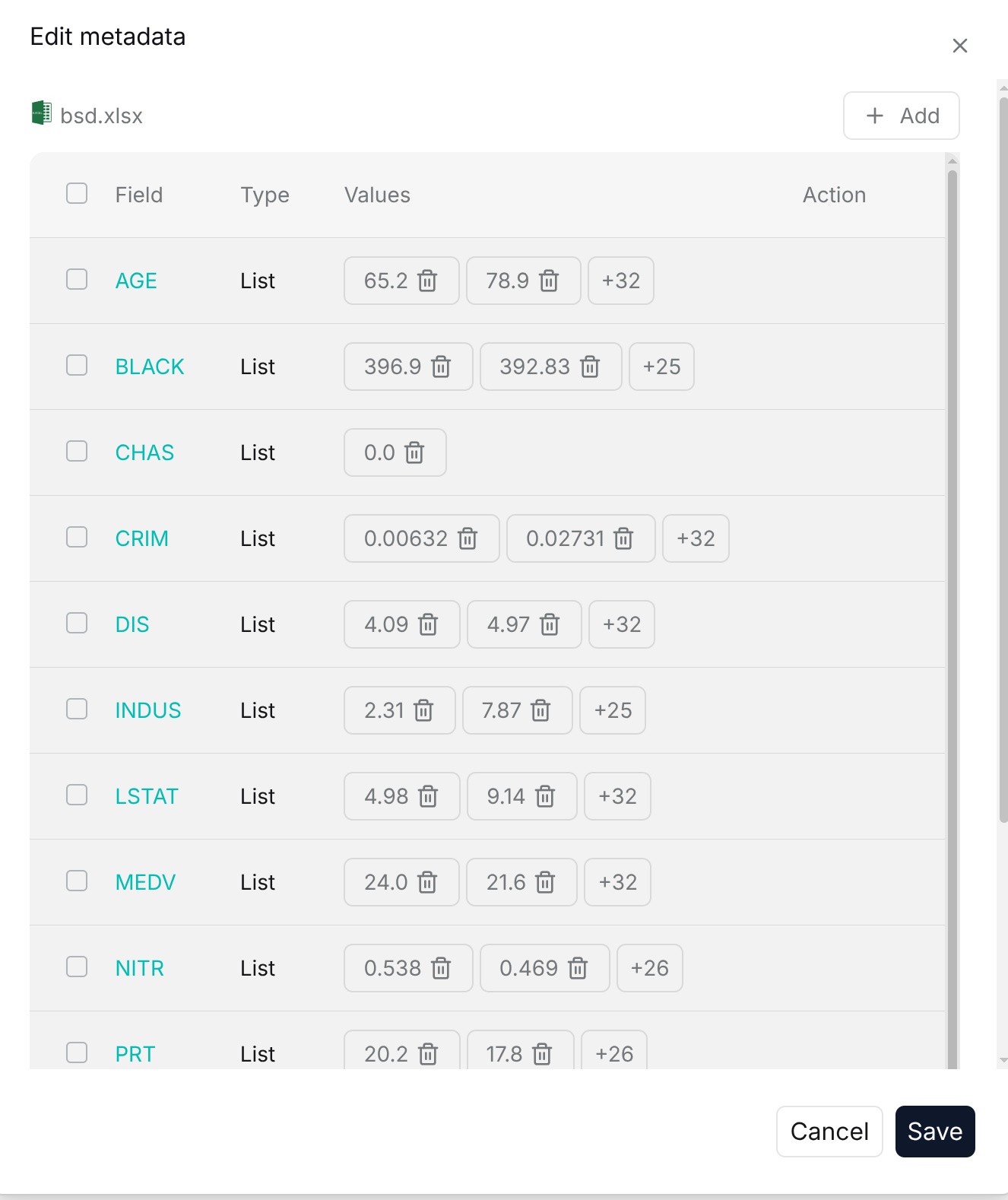
Add Metadata
You can add metadata manually for documents. When adding metadata, you need to specify the field name, data type, and value. To improve subsequent filtering and retrieval, keep field names, data types, and value formats consistent.
Automatically Generate Metadata
For a built-in parsing mode, configure automatic metadata through Dataset > Configuration > Extractor > Metadata.
- Open the target Dataset and select Configuration.
- Open the Extractor tab and expand Metadata.
- Turn on the switch beside Metadata. Expanding the section alone does not enable generation.
- Click Settings to open Metadata generation settings.
- In Generation, click Add to define fields and their descriptions, types, and allowed values. In Built-in, enable predefined fields such as
update_timeandfile_nameas needed. - Click Save in the dialog, then Save on the Dataset configuration page.
For metadata generated from document content, check that the Extractor's Model is available. See Dataset configuration for the detailed settings.
If the Dataset uses a custom ingestion pipeline, configure metadata in that pipeline's Transformer, publish the updated version, then open Dataset > Configuration > Parsing mode, expand the pipeline, select the updated published version, and click Save to apply it.
Changes to auto metadata configuration only affect newly parsed documents. If you need to apply new metadata rules to existing documents, parse the relevant documents again.
Use Metadata to Filter Documents
On the document list page, you can use Metadata field to filter documents. The available fields and values depend on the metadata already present in the current dataset.
For table documents, columns configured as Metadata or Both can be used as metadata filter fields.
Metadata and Retrieval
Metadata can also be used to restrict the retrieval range. After metadata conditions are configured, retrieval only searches content that meets the metadata conditions.
When using metadata, keep field names, data types, and value formats unified and accurate. Metadata conditions that are too strict or inaccurate field values may exclude relevant content from the retrieval scope.