Connect to an Agent
A memory must be connected to an Agent before historical messages can be written during Agent execution or historical context can be retrieved when answering. Usually, both directions, write to memory and retrieve from memory, need to be configured.
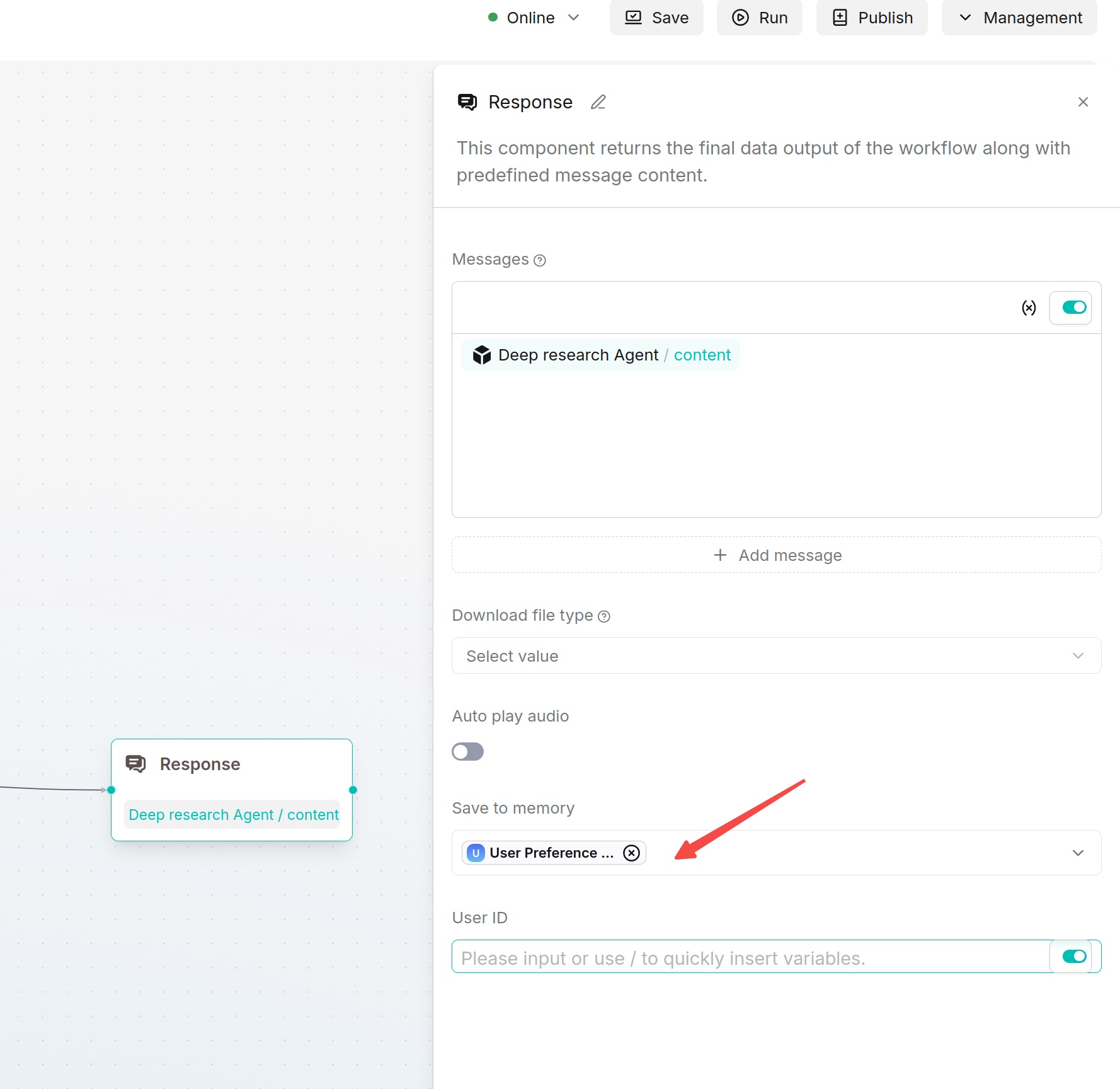
Write Agent Messages to Memory
- Go to the Agent page and open the Agent that needs to be configured.
- Select or add the Message component on the Agent canvas.
- In the Message component configuration, find Save to Memory.
- Select the target memory. If historical records need to be distinguished by user, configure the user ID.
- Save the Agent and run a test. After it runs, return to the memory's Messages page to check whether new messages have been generated.
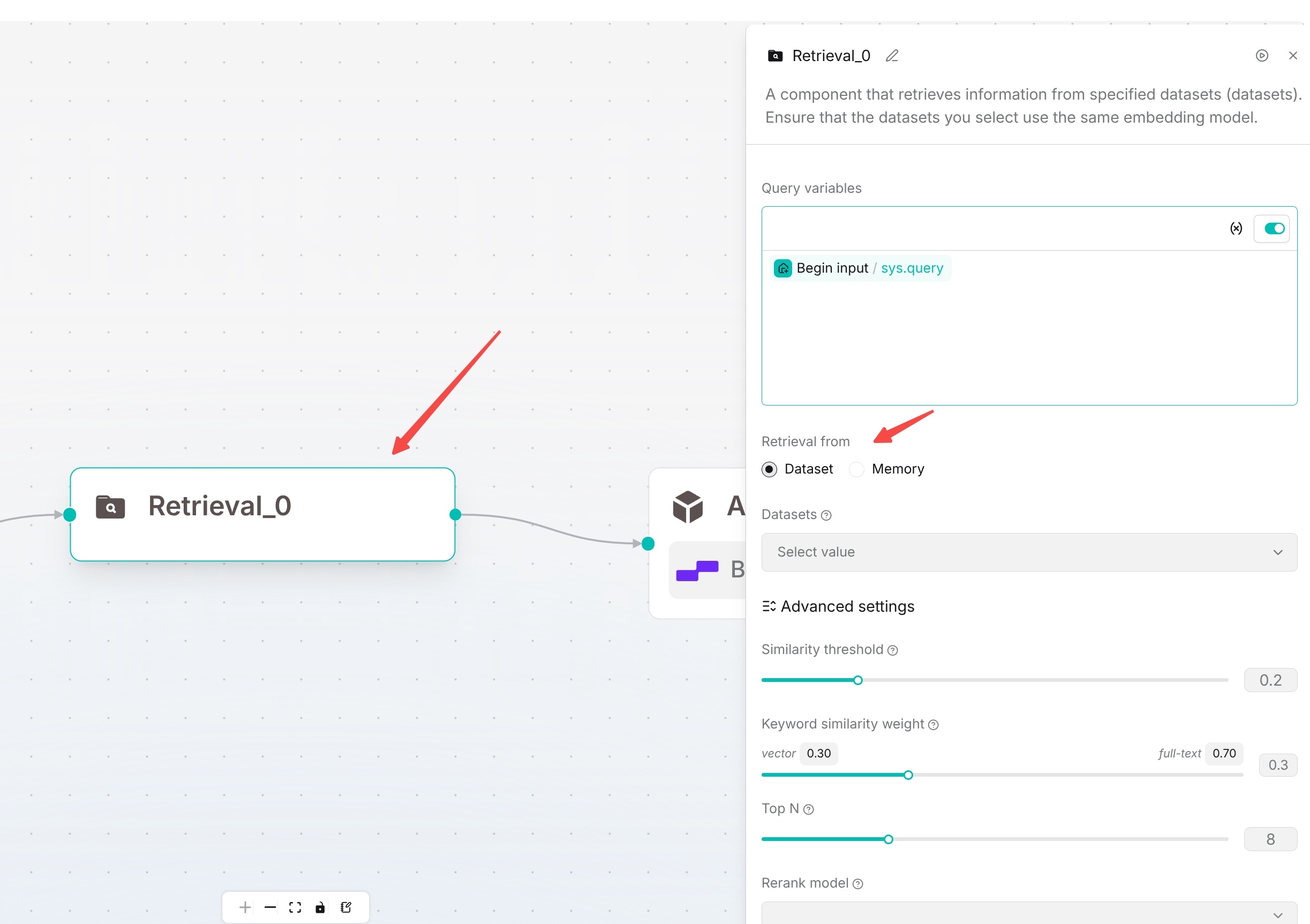
Let an Agent Retrieve from Memory
- Select or add the Retrieval component on the Agent canvas.
- In Query variable, select the query source.
sys.queryis commonly used. - In Retrieval source, select Memory, and select one or more target memories.
- Adjust Similarity threshold, Vector similarity weight, and Top N as needed.
- Connect the retrieval result to a subsequent large language model or answer component, so that the Agent can use the retrieved historical context.
- Save and run a test, and check whether the answer correctly references historical memories.