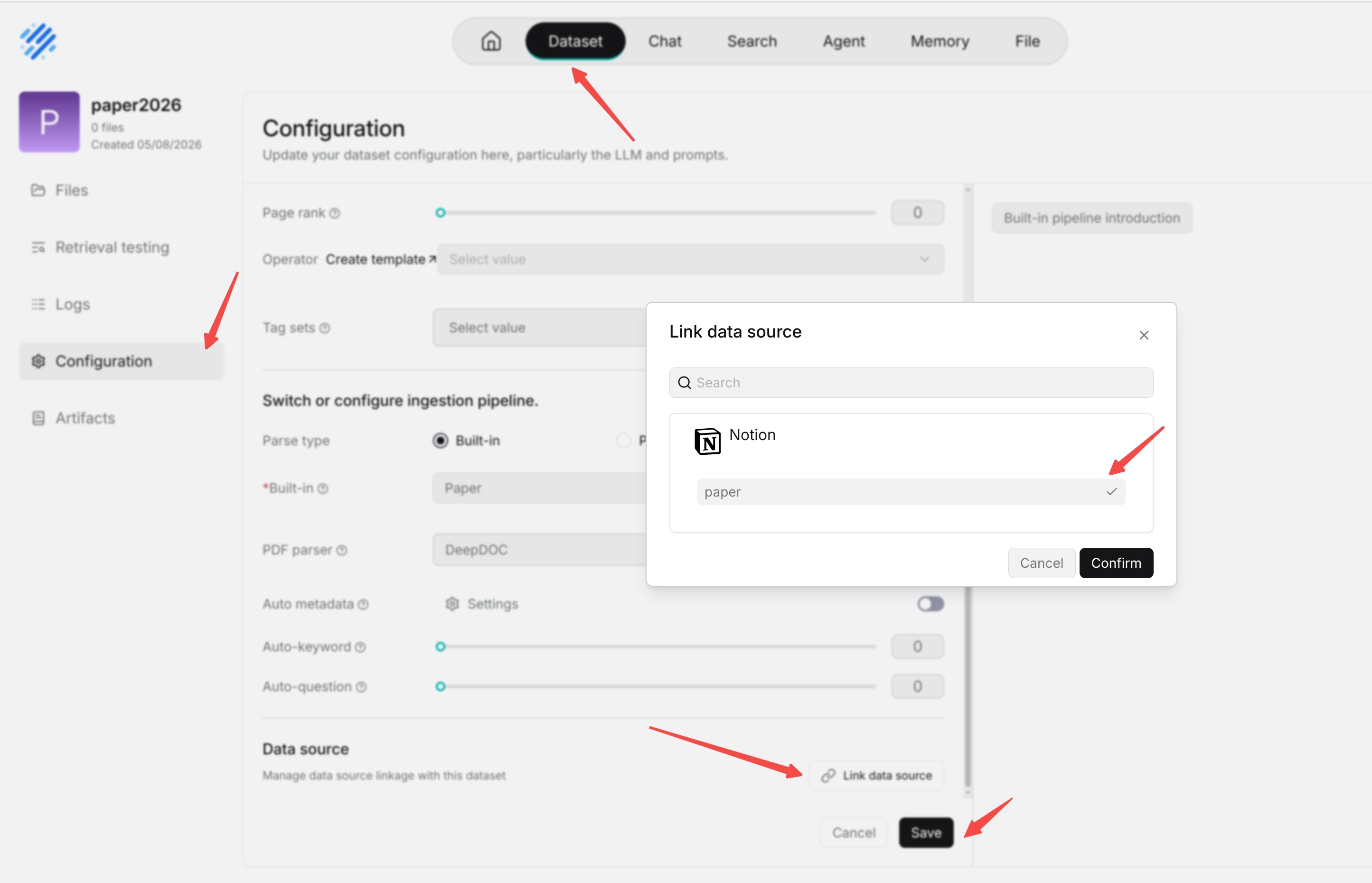
Add a Data Source to a Knowledge Base and Synchronization and Updates
Add a Data Source to a Knowledge Base
Creating a data source connection only saves the access configuration for the external system. To bring external content into a knowledge base, you also need to add that data source in the target knowledge base and start synchronization.
- Enter the knowledge base page.
- Open the target knowledge base that needs to synchronize external content.
- In the data import or data source settings entry of the knowledge base, select the created data source connection.
- Follow the prompts on the knowledge base page to select the synchronization scope, parsing method, or chunking parameters.
- Save and start synchronization, then wait for the synchronization task to complete.
Synchronization and Updates
After synchronization starts, RAGFlow reads content from the external system and writes parseable content to the knowledge base index.
After synchronization is complete, users can retrieve and ask questions about this content in the knowledge base. Synchronization results can be understood according to the following rules:
- The first synchronization imports the existing content in the current synchronization scope.
- Content newly added or modified in the external system is usually synchronized to the knowledge base when the next refresh interval arrives.
- If sync deleted files is enabled, content deleted from the external system is removed from the knowledge base index during subsequent synchronization or cleanup tasks.
If changes to external content do not appear in the knowledge base immediately, first check the refresh interval, synchronization status, and data source logs.
Some data sources support the test connection feature. After saving or modifying a connection, you can test the connection first to confirm that account permissions, connection parameters, and data access are normal, and then start synchronization in the knowledge base.