13 posts tagged with "Product News"

View All Tags

RAGFlow 0.22.0 Overview — Supported Data Sources, Enhanced Parser, Agent Optimizations, and Admin UI

6 min read

0.22 Highlights

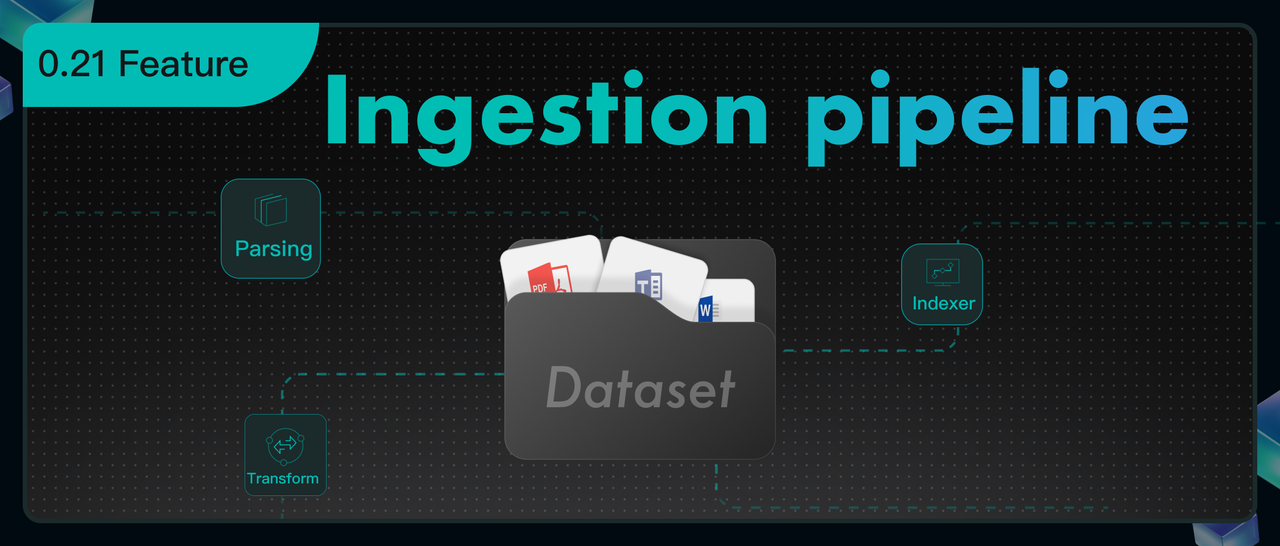
Building a RAGFlow dataset involves three main steps: file upload, parsing, and chunking. Version 0.21.0 made the parsing and chunking stages more flexible with the Ingestion pipeline.

This 0.22.0 release focuses on the data upload step to help developers build datasets faster.

We also added these key improvements:

  • The Parser component in the Ingestion pipeline now offers more model choices for better file parsing.
  • We optimized the Agent's Retrieval and Await response components.
  • A new Admin UI gives you a clearer and easier way to manage the system.

Support for Rich External Data Sources

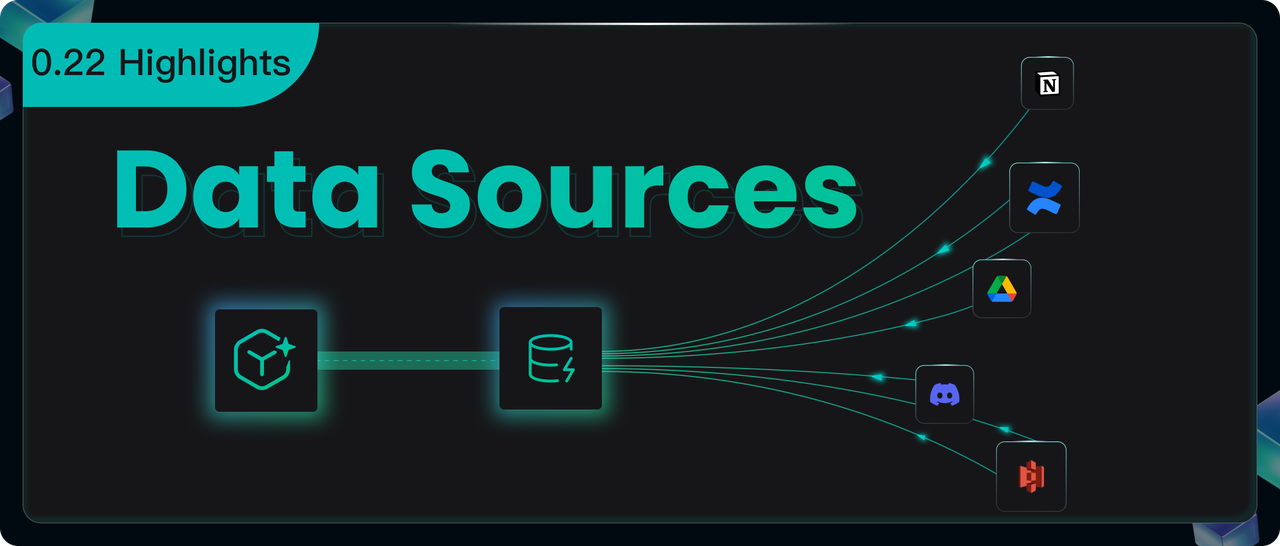
The new Data Sources module lets you connect external data to a Dataset. You can now sync files from different places directly into RAGFlow.

Use the "Data Sources" menu in your personal center to add and set up sources like Confluence, AWS S3, Google Drive, Discord, and Notion. This lets you manage all your data in one place and sync it automatically.

Example: S3 Configuration

  1. Make sure you have an S3 storage bucket in your AWS account.

  1. Add your S3 details to the S3 data source form.

  1. After you add it, click the settings icon to see the data source details.

  1. If you set "Refresh Freq" to "1", the system will check for new files every minute.
  2. RAGFlow watches your specified S3 Bucket (like ragflow-bucket). If it finds new files, it immediately starts syncing them.
  3. After syncing, it waits one minute before checking again. Use the "Pause" button to turn this automatic refresh on or off anytime.

Linking Data Sources to a dataset

  1. Create a new dataset (for example, TEST_S3).
  2. Click Configuration and go to the bottom of the page.
  3. Click Link Data Source and pick the data source you want (like S3).

After you link successfully, you'll see three icons:

  • Rebuild: Click this to delete all files and logs in the dataset and import everything again.
  • Settings: Check the sync logs here.
  • Unlink: This disconnects the data source. It keeps all the files already in the dataset but stops new syncs.

Status Messages in Logs:

  • Scheduled: The task is in line, waiting for its next turn to check for files.
  • Running: The system is moving files right now.
  • Success: It finished checking for new files.
  • Failed: The upload didn't work. Check the error message for details.
  • Cancel: You paused the transfer.

You can link multiple data sources to one dataset, and one data source can feed into many datasets.

Enhanced Parser

MinerU

RAGFlow now works with MinerU 2.6.3 as another option for parsing PDFs. It supports different backends like pipeline, vlm-transformers, vlm-vlm-engine, and http-client.

The idea is simple: RAGFlow asks MinerU to parse a file, reads the results, and adds them to your dataset.

Key Environment Variables:

VariableExplanationDefaultExample
MINERU_EXECUTABLEPath to MinerU on your computermineruMINERU_EXECUTABLE=/home/ragflow/uv_tools/.venv/bin/mineru
MINERU_DELETE_OUTPUTKeep or delete MinerU's output files?1 (delete)MINERU_DELETE_OUTPUT=0 (keep)
MINERU_OUTPUT_DIRWhere to put MinerU's outputSystem temp folderMINERU_OUTPUT_DIR=/home/ragflow/mineru/output
MINERU_BACKENDWhich MinerU backend to usepipelineMINERU_BACKEND=vlm-transformers

Starting Up:

  • If you use the vlm-http-client backend, set the server address with MINERU_SERVER_URL.
  • To connect to a remote MinerU parser, use MINERU_APISERVER to give its address.

How to Start:

  1. From Source: Install MinerU by itself (its dependencies can conflict with RAGFlow's). Then set the environment variables and start the RAGFlow server.
  2. Using Docker: Set USE_MINERU=true in docker/.env and restart your containers.

Docling

RAGFlow also supports Docling as another PDF parser. It works the same way as MinerU.

Docling finds the text, formulas, tables, and images in a document. RAGFlow then uses what Docling finds.

What Docling Can Do:

  1. Pull out text (paragraphs, headings, lists).
  2. Extract math formulas.
  3. Identify tables and images (and save them).
  4. Mark where everything is located.

Starting Up: Set USE_DOCLING=true in docker/.env and restart your containers.

Agent Optimizations

Retrieval Now Uses Metadata

You can now add tags (metadata) to files in your dataset. During retrieval, the Agent can use these tags to filter results, so it only looks at specific files instead of the whole library.

Example: Imagine a dataset full of AI papers. Some are about AI agents, others are about evaluating AI. If you want a Q&A assistant that only answers evaluation questions, you can add a tag like "Topic": "Evaluation" to the right papers. When the Agent retrieves information, it will filter for just those tagged files.

Before, this only worked in the Chat app. Now the Agent's Retrieval component can do it too.

Agent Teamwork Gets Better

You can now use an upstream Agent's output in the Await Response component's message.

The Old Way: The message in the Await Response component was always static text.

The New Way: You can insert dynamic content from earlier in the workflow, like a plan from a Planning Agent.

This is great for "Deep Research" agents or any time you need a human to check the work before continuing. It's also a key part of future improvements to the Ingestion Pipeline.

You can find this use case as a ready-to-use template in the agent template library.

Admin UI

This version adds a new Admin UI, a visual dashboard made for system administrators.

It takes jobs you used to do with commands and puts them in a simple interface, making management much easier.

See System Status Instantly

The Service Status dashboard shows the health of all core services. It lists their name, type, host, port, and status. If something goes wrong (like Elasticsearch times out), you can find the problem fast and copy the address to test it, without logging into different servers.

The UI also shows service details. You can see detailed logs and connection info (like database passwords) without ever touching a server command line. This makes fixing problems quicker and keeps the system more transparent and secure.

Manage Users Easily

The User Management section lets you create, enable, disable, reset passwords for, and delete users. You can quickly find users by email or nickname and see what datasets and agents they own.

Finale

RAGFlow 0.21.0 gave you a powerful Ingestion pipeline for your data. Now, RAGFlow 0.22.0 connects to all the places your data lives. Together, they help you break down "data silos" and gather everything in one spot to power your LLMs.

We also improved how Agents and people work together. Now you can step into the Agent's workflow and guide it, working as a team to get better, more accurate results than full automation alone.

We will keep adding more data sources, better parsers, and smarter pipelines to make RAGFlow the best data foundation for your LLM applications.

GitHub: https://github.com/infiniflow/ragflow

Reference:

  1. https://ragflow.io/docs/dev/faq#how-to-use-mineru-to-parse-pdf-documents

RAGFlow Named Among GitHub’s Fastest-Growing Open Source Projects, Reflecting Surging Demand for Production-Ready AI

3 min read

The release of GitHub’s 2025 Octoverse report marks a pivotal moment for the open source ecosystem—and for projects like RAGFlow, which has emerged as one of the fastest-growing open source projects by contributors this year. With a remarkable 2,596% year-over-year growth in contributor engagement, RAGFlow isn’t just gaining traction—it’s defining the next wave of AI-powered development.

The Rise of Retrieval-Augmented Generation in Production

As the Octoverse report highlights, AI is no longer experimental—it’s foundational. More than 4.3 million AI-related repositories now exist on GitHub, and over 1.1 million public repos import LLM SDKs, a 178% YoY increase. In this context, RAGFlow’s rapid adoption signals a clear shift: developers are moving beyond prototyping and into production-grade AI workflows.

RAGFlow—an end-to-end retrieval-augmented generation engine with built-in agent capabilities—is perfectly positioned to meet this demand. It enables developers to build scalable, context-aware AI applications that are both powerful and practical. As the report notes, “AI infrastructure is emerging as a major magnet” for open source contributions, and RAGFlow sits squarely at the intersection of AI infrastructure and real-world usability.

Why RAGFlow Resonates in the AI Era

Several trends highlighted in the Octoverse report align closely with RAGFlow’s design and mission:

  • From Notebooks to Production: The report notes a shift from Jupyter Notebooks (+75% YoY) to Python codebases, signaling that AI projects are maturing. RAGFlow supports this transition by offering a structured, reproducible framework for deploying RAG systems in production.
  • Agentic Workflows Are Going Mainstream: With the launch of GitHub Copilot coding agent and the rise of AI-assisted development, developers are increasingly relying on tools that automate complex tasks. RAGFlow’s built-in agent capabilities allow teams to automate retrieval, reasoning, and response generation—key components of modern AI apps.
  • Security and Scalability Are Top of Mind: The report also highlights a 172% YoY increase in Broken Access Control vulnerabilities, underscoring the need for secure-by-design AI systems. RAGFlow’s focus on enterprise-ready deployment helps teams address these challenges head-on.

A Project in Active Development

RAGFlow's evolution mirrors a deliberate journey—from solving foundational RAG challenges to shaping the next generation of enterprise AI infrastructure.

The project first made its mark by systematically addressing core RAG limitations through integrated technological innovation. With features such as deep document understanding for parsing complex formats, hybrid retrieval that blends multiple search strategies, and built-in advanced tools like GraphRAG and RAPTOR, RAGFlow established itself as an end-to-end solution that dramatically enhances retrieval accuracy and reasoning performance.

Now, building on this robust technical foundation, RAGFlow is steering toward a bolder vision: to become the superior context engine for enterprise-grade Agents. Evolving from a specialized RAG engine into a unified, resilient context layer, RAGFlow is positioning itself as the essential data foundation for LLMs in the enterprise—enabling Agents of any kind to access rich, precise, and secure context, ensuring reliable and effective operation across all tasks.


RAGFlow is an open source retrieval-augmented generation engine designed for building production-ready AI applications. To learn more or contribute, visit the RAGFlow GitHub repository.

This post was inspired by insights from the GitHub Octoverse 2025 Report. Special thanks to the GitHub team for amplifying the voices of open source builders everywhere.


Is data processing like building with lego? Here is a detailed explanation of the ingestion pipeline.

18 min read

Since its open-source release, RAGFlow has consistently garnered widespread attention from the community. Its core module, DeepDoc, leverages built-in document parsing models to provide intelligent document-sharding capabilities tailored for multiple business scenarios, ensuring that RAGFlow can deliver accurate and high-quality answers during both the retrieval and generation phases. Currently, RAGFlow comes pre-integrated with over a dozen document-sharding templates, covering various business scenarios and file types.

However, as RAGFlow becomes increasingly widely adopted in production environments, the original dozen-plus fixed sharding methods have struggled to keep pace with the complex and diverse array of data sources, document structures, and file types encountered. Specific challenges include:

  • The need to flexibly configure different parsing and sharding strategies based on specific business scenarios to accommodate varied document structures and content logic.
  • Document parsing and ingestion involve not only segmenting unstructured data into text blocks but also encompass a series of critical preprocessing steps to bridge the "semantic gap" during RAG retrieval. This often requires leveraging models to enrich raw content with semantic information such as summaries, keywords, and hierarchical structures.
  • In addition to locally uploaded files, a significant amount of data, files, and knowledge originate from various sources, including cloud drives and online services.
  • With the maturation of multimodal vision-language models (VLMs), models like MinerU and Docling, which excel in parsing documents with complex layouts, tables, and mixed text-image arrangements, have emerged. These models demonstrate unique advantages across various application scenarios.

To address these challenges, RAGFlow 0.21.0 has introduced a groundbreaking Ingestion pipeline. This pipeline restructures the cleaning process for unstructured data, allowing users to construct customized data-processing pipelines tailored to specific business needs and enabling precise parsing of heterogeneous documents.

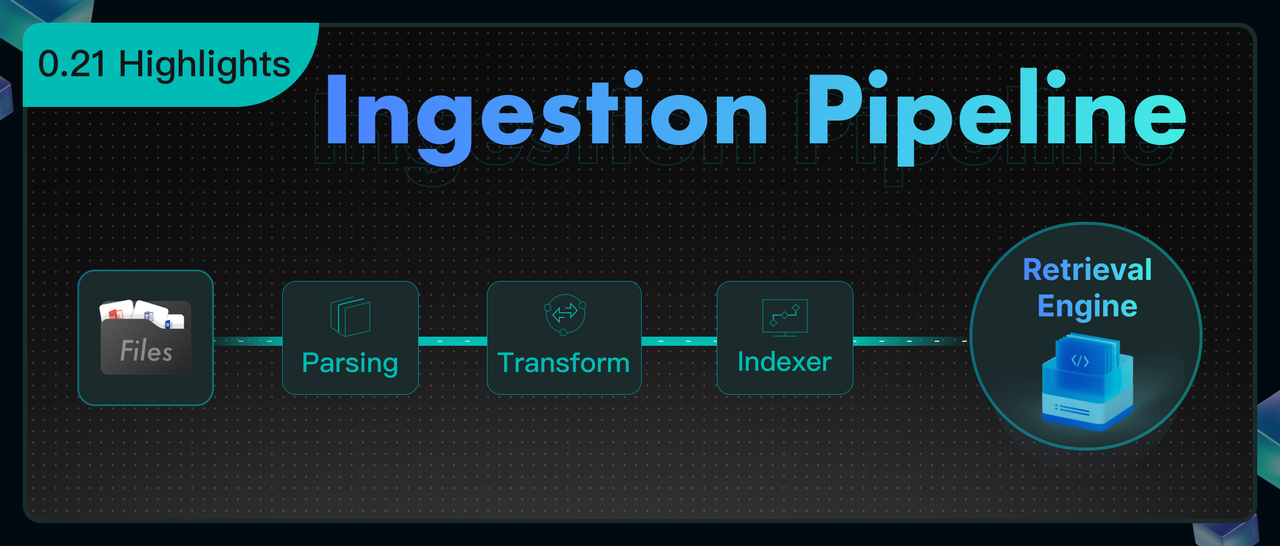
The Ingestion Pipeline is essentially a visual ETL process tailored for unstructured data. Built upon an Agent foundation, it restructures a typical RAG data ingestion workflow—which usually encompasses key stages such as document parsing, text chunking, vectorization, and index construction—into three distinct phases: Parser, Transformer, and Indexer. These phases correspond to document parsing, data transformation, and index construction, respectively.

  • Document Parsing: As a critical step in data cleaning, this module integrates multiple parsing models, with DeepDoc being a representative example. It transforms raw unstructured data into semi-structured content, laying the groundwork for subsequent processing.
  • Data Transformation: Currently offering two core types of operators, including Chunker and Transformer, this phase aims to further process the cleaned data into formats suitable for various index access methods, thereby ensuring high-quality recall performance.
  • Index Construction: Responsible for the final data write-in. RAGFlow inherently adopts a multi-path recall architecture to guarantee retrieval effectiveness. Consequently, the Indexer incorporates multiple indexing methods, allowing users to configure them flexibly.

Below, we will demonstrate the construction and use of the Ingestion Pipeline through a specific example.

First, click on "Create agent" on the "Agent" page. You can choose "Create from blank" to create an Ingestion Pipeline from scratch:

Alternatively, you can select "Create from template" to utilize a pre-configured Ingestion pipeline template:

Next, we will begin to arrange various operators required for the Pipeline. When creating from scratch, only the Begin and Parser operators will be displayed on the initial canvas. Subsequently, you can drag and connect additional operators with different functions from the right side of the existing operators.

First, it is necessary to configure the Parser operator.

Parser

The Parser operator is responsible for reading and parsing documents: identifying their layouts, extracting structural and textual information from them, and ultimately obtaining structured document data.

This represents a "high-fidelity, structured" extraction strategy. The Parser intelligently adapts to and preserves the original characteristics of different files, whether it's the hierarchical outline of a Word document, the row-and-column layout of a spreadsheet, or the complex layout of a scanned PDF. It not only extracts the main text but also fully retains auxiliary information such as titles, tables, headers, and footers, transforming them into appropriate data forms, which will be detailed below. This structured differentiation is crucial, providing the necessary foundation for subsequent refined processing.

Currently, the Parser operator supports input from 8 major categories encompassing 23 file types, summarized as follows:

When in use, simply click "Add Parser" within the Parser node and select the desired file category (such as PDF, Image, or PPT). When the Ingestion pipeline is running, the Parser node will automatically identify the input file and route it to the corresponding parser for parsing.

Here, we provide further explanations for the parsers of several common file categories:

  • For PDF files, RAGFlow offers multiple parsing model options, with a unified output in JSON format:

    1. Default DeepDoc: This is RAGFlow's built-in document understanding model, capable of recognizing layout, columns, and tables. It is suitable for processing scanned documents or those with complex formatting.
    2. MinerU: Currently an outstanding document parsing model in the industry. Besides parsing complex document content and layouts, MinerU also provides excellent parsing for complex file elements such as mathematical formulas.
    3. Naive: A pure text extraction method without using any models. It is suitable for documents with no complex structure or non-textual elements.

  • For Image files, the system will by default invoke OCR to extract text from the image. Additionally, users can also configure VLMs (Vision Language Models) that support visual recognition to process them.
  • For Audio files, it is necessary to configure a model that supports speech-to-text conversion. The Parser will then extract the textual content from the Audio. Users can configure the API keys of model providers that support this type of parsing on the "Model provider" page of the homepage. After that, they can return to the Parser node and select it from the dropdown menu. This "configure first, then select" logic also applies to PDF, Image, and Video files.
  • For Video files, it is necessary to configure a large model that supports multimodal recognition. The Parser will invoke this model to conduct a comprehensive analysis of the video and output the results in text format.
  • When parsing Email files, RAGFlow provides Field options, allowing users to select only the desired fields, such as "subject" and "body." The Parser will then precisely extract the textual content of these fields.

  • The Spreadsheet parser will output the file in HTML format, preserving its row and column structure intact to ensure that the tabular data remains clear and readable after conversion.
  • Files of Word and PPT types will be parsed and output in JSON format. For Word files, the original hierarchical structure of the document, such as titles, paragraphs, lists, headers, and footers, will be retained. For PPT files, the content will be extracted page by page, distinguishing between the title, main text, and notes of each slide.
  • The Text & Markup category will automatically strip formatting tags from files such as HTML and MD (Markdown), outputting only the cleanest text content.

Chunker

The Chunker node is responsible for dividing the documents output by upstream nodes into Chunk segments. Chunk is a concept introduced by RAG technology, representing the unit of recall. Users can choose whether to add a Chunker node based on their needs, but it is generally recommended to use it for two main reasons:

  1. If the entire document is used as the unit for recall, the data passed to the large model during the final generation phase may exceed the context window limit.
  2. In typical RAG systems, vector search serves as an important recall method. However, vectors inherently have issues with inaccurate semantic representation. For example, users can choose to convert a single sentence into a vector or the entire document into a vector. The former loses global semantic information, while the latter loses local information. Therefore, selecting an appropriate segment length to achieve a relatively good balance when represented by a single vector is an essential technical approach.

In practical engineering systems, how the Chunk segmentation results are determined often significantly impacts the recall quality of RAG. If content containing the answer is split across different Chunks, and the Retrieval phase cannot guarantee that all these Chunks are recalled, it can lead to inaccurate answer generation and hallucinations. Therefore, the Ingestion pipeline introduces the Chunker node, allowing users to slice text more flexibly.

The current system incorporates two built-in segmentation methods: segmentation based on text tokens and titles.

Segmentation by tokens is the most common approach. Users can customize the size of each segment, with a default setting of 512 tokens, which represents a balance optimized for retrieval effectiveness and model compatibility. When setting the segment size, trade-offs must be considered: if the segment token count remains too large, portions exceeding the model's limit will still be discarded; if set too small, it may result in excessive segmentation of coherent semantics in the original text, disrupting context and affecting retrieval effectiveness.

To address this, the Chunker operator provides a segment overlap feature, which allows the end portion of the previous segment to be duplicated as the beginning of the next segment, thereby enhancing semantic continuity. Users can increase the "Overlapped percent" to improve the correlation between segments.

Additionally, users can further optimize segmentation rules by defining "Separators." The system defaults to using \n (newline characters) as separators, meaning the segmenter will prioritize attempting to split along natural paragraphs rather than abruptly truncating sentences in the middle, as shown in the following figure.

If the document itself has a clear chapter structure, segmenting the text by tokens may not be the optimal choice. In such cases, the Title option in the Chunker can be selected to slice the document according to its headings. This method is primarily suitable for documents with layouts such as technical manuals, academic papers, and legal clauses. We can customize expressions for headings at different levels in the Title node. For example, the expression for a first-level heading (H1) can be set as ^#[^#], and for a second-level heading (H2) as ^##[^#]. Based on these expressions, the system will strictly slice the document according to the predefined chapter structure, ensuring that each segment represents a structurally complete "chapter" or "subsection." Users can also freely add or reduce heading levels in the configuration to match the actual structure of the document, as shown in the following figure.

Note: In the current RAGFlow v0.21 version, if both the Token and Title options of the Chunker are configured simultaneously, please ensure that the Title node is connected after the Token node. Otherwise, if the Title node is directly connected to the Parser node, format errors may occur for files of types Email, Image, Spreadsheet, and Text&Markup. These limitations will be optimized in subsequent versions.

Transformer

The Transformer operator is responsible for transforming textual content. Simply resolving the accuracy of text parsing and segmentation does not guarantee the final retrieval accuracy. This is because there is always a so-called "semantic gap" between a user's query and the documents containing the answers. By using the Transformer operator, users can leverage large models to extract information from the input document content, thereby bridging the "semantic gap."

The current Transformer operator supports functions such as summary generation, keyword generation, question generation, and metadata generation. Users can choose to incorporate this operator into their pipeline to supplement the original data with these contents, thereby enhancing the final retrieval accuracy. Similar to other scenarios involving large models, the Transformer node also offers three modes for the large model: Improvise, Precise, and Balance.

  • Improvise (Improvisational Mode) encourages the model to exhibit greater creativity and associative thinking, making it well-suited for generating diverse Questions.
  • Precise (Precise Mode) strictly constrains the model to ensure its output is highly faithful to the original text, making it suitable for generating Summaries or extracting Keywords.
  • Balance (Balanced Mode) strikes a balance between the two, making it applicable to most scenarios.

Users can select one of these three styles or achieve finer control by adjusting parameters such as Temperature and Top P on their own.

The Transformer node can generate four types of content: Summary, Keywords, Questions, and Metadata. RAGFlow also makes the prompts for each type of content openly accessible, which means users can enrich and personalize text processing by modifying the system prompts.

If multiple functions need to be implemented, such as summarizing content and extracting keywords simultaneously, users are required to configure a separate Transformer node for each function and connect them in series within the Pipeline. In other words, a Transformer node can be directly connected after the Parser to process the entire document (e.g., generating a full-text summary), or it can be connected after the Chunker to process each text segment (e.g., generating questions for each Chunk). Additionally, a Transformer node can be connected after another Transformer node to perform complex content extraction and generation in a cascaded manner.

Please note: The Transformer node does not automatically acquire content from its preceding nodes. The actual source of information it processes entirely depends on the variables referenced in the User prompt. In the User prompt, variables output by upstream nodes must be manually selected and referenced by entering the / symbol.

For example, in a Parser - Chunker - Transformer pipeline, even though the Transformer is visually connected after the Chunker, if the variable referenced in the User prompt is the output from the Parser node, then the Transformer will actually process the entire original document rather than the chunks generated by the Chunker.

Similarly, when users choose to connect multiple Transformer nodes in series (e.g., the first one generates a Summary, and the second one generates Keywords), if the second Transformer references the Summary variable generated by the first Transformer, it will process this Summary as the "new original text" for further processing, rather than handling the text chunks from the more upstream Chunker.

Indexer

The preceding Parser, Chunker, and Transformer nodes handle data inflow, segmentation, and optimization. However, the final execution unit in the Pipeline is the Indexer node, which is responsible for writing the processed data into the Retrieval engine (RAGFlow currently supports Infinity, Elasticsearch, and OpenSearch).

The core capability of the Retrieval engine is to establish various types of indexes for data, thereby providing search capabilities, including vector indexing, full-text indexing, and future tensor indexing capabilities, among others. In other words, it is the ultimate embodiment of "Retrieval" in the term RAG.

Due to the varying capabilities of different types of indexes, the Indexer simultaneously offers options for creating different indexes. Specifically, the Search method option within the Indexer node determines how user data can be "found."

Full-text refers to traditional "keyword search," which is an essential option for precise recall, such as searching for a specific product number, person's name, or code. Embedding, on the other hand, represents modern AI-driven "semantic search." Users can ask questions in natural language, and the system can "understand" the meaning of the question and retrieve the most relevant document chunks in terms of content. Enabling both simultaneously for hybrid search is the default option in RAGFlow. Effective multi-channel recall can balance precision and semantics, maximizing the discovery of text segments where answers reside.

Note: There is no need to select a specific Embedding model within the Indexer node, as it will automatically invoke the embedding model set when creating the knowledge base. Additionally, the Chat, Search, and Agent functionalities in RAGFlow support cross-knowledge base retrieval, meaning a single question can be searched across multiple knowledge bases simultaneously. However, to enable this feature, a prerequisite must be met: all simultaneously selected knowledge bases must utilize the same Embedding model. This is because different embedding models convert the same text into completely different and incompatible vectors, preventing cross-base retrieval.

Furthermore, finer retrieval settings can be achieved through the Filename embedding weight and Field options. The Filename embedding weight is a fine-tuning slider that allows users to consider the "filename" of a document as part of the semantic information and assign it a specific weight.

The Field option, on the other hand, determines the specific content to be indexed and the retrieval strategy. Currently, three distinct strategy options are provided:

  • Processed Text: This is the default option and the most intuitive. It means that the Indexer will index the processed text chunks from preceding nodes.
  • Questions: If a Transformer node is used before the Indexer to generate "potential questions that each text chunk can answer," these Questions can be indexed here. In many scenarios, matching "user questions" with "pre-generated questions" yields significantly higher similarity than matching "questions" with "answers" (i.e., the original text), effectively improving retrieval accuracy.
  • Augmented Context: This involves using Summaries instead of the original text for retrieval. It is suitable for scenarios requiring quick broad topic matching without being distracted by the details of the original text.

Link the Ingestion Pipeline to the Knowledge Base

After constructing an Ingestion pipeline, the next step is to associate it with the corresponding knowledge base. On the page for creating a knowledge base, locate and click the "Choose pipeline" option under the "Ingestion pipeline" tab. Subsequently, select the already created Pipeline from the dropdown menu to establish the association. Once set, this Pipeline will become the default file parsing process for this knowledge base.

For an already created knowledge base, users can enter its "Ingestion pipeline" module at any time to readjust and reselect the associated parsing process.

If users wish to adjust the Ingestion pipeline for a single file, they can also do so by clicking on the Parse location to make adjustments.

Finally, make adjustments and save the updates in the pop-up window.

Logs

The execution of an Ingestion Pipeline may take a considerable amount of time, making observability an indispensable capability. To this end, RAGFlow provides a log panel for the Ingestion pipeline, which records the full-chain logs for each file parsing operation. For files parsed through the Ingestion Pipeline, users can delve into the operational details of each processing node. This offers comprehensive data support for subsequent issue auditing, process debugging, and performance insights.

The following image is an example diagram of step logs.

Case Reference

When creating a Pipeline, you can select the "Chunk Summary" template as the foundation for construction, although you also have the option to choose other templates as starting points for subsequent building.

The orchestration design of the "Chunk Summary" template is as follows:

Next, switch the large model in the Transformer node to the desired model and set the "Result destination" field to "Metadata." This configuration means that the processing results (such as summaries) of the large model on text chunks will be directly stored in the file's metadata, providing capability support for subsequent precise retrieval and filtering.

Click Run in the top right corner and upload a file to test the pipeline:

You can click View result to check the test run results:

Summary

The above content provides a comprehensive introduction to the usage methods and core capabilities of the current Ingestion pipeline. Looking ahead, RAGFlow will continue to evolve in terms of data import and parsing clarity, including the following specific enhancements:

  1. Expanding Data Source Support: In addition to local file uploads, we will gradually integrate various data sources such as S3, cloud storage, email, online notes, and more. Through automatic and manual synchronization mechanisms, we will achieve seamless data import into knowledge bases, automatically applying the Ingestion pipeline to complete document parsing.
  2. Enhancing Parsing Capabilities: We will integrate more document parsing models, such as Docling, into the Parser operator to cover parsing needs across different vertical domains, comprehensively improving the quality and accuracy of document information extraction.
  3. Opening Up Custom Slicing Functionality: In addition to built-in Chunker types, we will gradually open up underlying slicing capabilities, allowing users to write custom slicing logic for more flexible and controllable text organization.
  4. Strengthening the Extensibility of Semantic Enhancement: Building on existing capabilities for summarization, keyword extraction, and question generation, we will further support customizable semantic enhancement strategies in a programmable manner, providing users with more technical means to optimize retrieval and ranking.

Through these enhancements, RAGFlow will continuously improve retrieval accuracy, serving as a robust support for providing high-quality context to large models.

Finally, we appreciate your attention and support. We welcome you to star RAGFlow on GitHub and join us in witnessing the continuous evolution of large model technology!

GitHub: https://github.com/infiniflow/ragflow

Bid Farewell to Complexity — RAGFlow CLI Makes Back-end Management a Breeze

11 min read

To meet the refined requirements for system operation and maintenance monitoring as well as user account management, especially addressing practical issues currently faced by RAGFlow users, such as "the inability of users to recover lost passwords on their own" and "difficulty in effectively controlling account statuses," RAGFlow has officially launched a professional back-end management command-line tool.

This tool is based on a clear client-server architecture. By adopting the design philosophy of functional separation, it constructs an efficient and reliable system management channel, enabling administrators to achieve system recovery and permission control at the fundamental level.

The specific architectural design is illustrated in the following diagram:

Through this tool, RAGFlow users can gain a one-stop overview of the operational status of the RAGFlow Server as well as components such as MySQL, Elasticsearch, Redis, MinIO, and Infinity. It also supports comprehensive user lifecycle management, including account creation, status control, password reset, and data cleanup.

Start the service

If you deploy RAGFlow via Docker, please modify the docker/docker_compose.yml file and add parameters to the service startup command.

command:
- --enable-adminserver

If you are deploying RAGFlow from the source code, you can directly execute the following command to start the management server:

python3 admin/server/admin_server.py

After the server starts, it listens on port 9381 by default, waiting for client connections. If you need to use a different port, please modify the ADMIN_SVR_HTTP_PORT configuration item in the docker/.env file.

Install the client and connect to the management service

It is recommended to use pip to install the specified version of the client:

pip install ragflow-cli==0.21.0

Version 0.21.0 is the current latest version. Please ensure that the version of ragflow-cli matches the version of the RAGFlow server to avoid compatibility issues:

ragflow-cli -h 127.0.0.1 -p 9381

Here, -h specifies the server IP, and -p specifies the server port. If the server is deployed at a different address or port, please adjust the parameters accordingly.

For the first login, enter the default administrator password admin. After successfully logging in, it is recommended to promptly change the default password in the command-line tool to enhance security.

Command Usage Guide

By entering the following commands through the client, you can conveniently manage users and monitor the operational status of the service.

Interactive Feature Description

  • Supports using arrow keys to move the cursor and review historical commands.
  • Pressing Ctrl+C allows you to terminate the current interaction at any time.
  • If you need to copy content, please avoid using Ctrl+C to prevent accidentally interrupting the process.

Command Format Specifications

  • All commands are case-insensitive and must end with a semicolon ;.
  • Text parameters such as usernames and passwords need to be enclosed in single quotes ' or double quotes ".
  • Special characters like \, ', and " are prohibited in passwords.

Service Management Commands

LIST SERVICES;

  • List the operational status of RAGFlow backend services and all associated middleware.

Usage Example

admin> list services;
Listing all services
+-------------------------------------------------------------------------------------------+-----------+----+---------------+-------+----------------+---------+
| extra | host | id | name | port | service_type | status |
+-------------------------------------------------------------------------------------------+-----------+----+---------------+-------+----------------+---------+
| {} | 0.0.0.0 | 0 | ragflow_0 | 9380 | ragflow_server | Timeout |
| {'meta_type': 'mysql', 'password': 'infini_rag_flow', 'username': 'root'} | localhost | 1 | mysql | 5455 | meta_data | Alive |
| {'password': 'infini_rag_flow', 'store_type': 'minio', 'user': 'rag_flow'} | localhost | 2 | minio | 9000 | file_store | Alive |
| {'password': 'infini_rag_flow', 'retrieval_type': 'elasticsearch', 'username': 'elastic'} | localhost | 3 | elasticsearch | 1200 | retrieval | Alive |
| {'db_name': 'default_db', 'retrieval_type': 'infinity'} | localhost | 4 | infinity | 23817 | retrieval | Timeout |
| {'database': 1, 'mq_type': 'redis', 'password': 'infini_rag_flow'} | localhost | 5 | redis | 6379 | message_queue | Alive |
+-------------------------------------------------------------------------------------------+-----------+----+---------------+-------+----------------+---------+

List the operational status of RAGFlow backend services and all associated middleware.

SHOW SERVICE <id>;

  • Query the detailed operational status of the specified service.
  • <id>: Command: LIST SERVICES; The service identifier ID in the displayed results.

Usage Example:

  1. Query the RAGFlow backend service:
admin> show service 0;
Showing service: 0
Service ragflow_0 is alive. Detail:
Confirm elapsed: 4.1 ms.

The response indicates that the RAGFlow backend service is online, with a response time of 4.1 milliseconds.

  1. Query the MySQL service:
admin> show service 1;
Showing service: 1
Service mysql is alive. Detail:
+---------+----------+------------------+------+------------------+------------------------+-------+-----------------+
| command | db | host | id | info | state | time | user |
+---------+----------+------------------+------+------------------+------------------------+-------+-----------------+
| Daemon | None | localhost | 5 | None | Waiting on empty queue | 86356 | event_scheduler |
| Sleep | rag_flow | 172.18.0.6:56788 | 8790 | None | | 2 | root |
| Sleep | rag_flow | 172.18.0.6:53482 | 8791 | None | | 73 | root |
| Query | rag_flow | 172.18.0.6:56794 | 8795 | SHOW PROCESSLIST | init | 0 | root |
+---------+----------+------------------+------+------------------+------------------------+-------+-----------------+

The response indicates that the MySQL service is online, with the current connection and execution status shown in the table above.

  1. Query the MinIO service:
admin> show service 2;
Showing service: 2
Service minio is alive. Detail:
Confirm elapsed: 2.3 ms.

The response indicates that the MinIO service is online, with a response time of 2.3 milliseconds.

  1. Query the Elasticsearch service:
admin> show service 3;
Showing service: 3
Service elasticsearch is alive. Detail:
+----------------+------+--------------+---------+----------------+--------------+---------------+--------------+------------------------------+----------------------------+-----------------+-------+---------------+---------+-------------+---------------------+--------+------------+--------------------+
| cluster_name | docs | docs_deleted | indices | indices_shards | jvm_heap_max | jvm_heap_used | jvm_versions | mappings_deduplicated_fields | mappings_deduplicated_size | mappings_fields | nodes | nodes_version | os_mem | os_mem_used | os_mem_used_percent | status | store_size | total_dataset_size |
+----------------+------+--------------+---------+----------------+--------------+---------------+--------------+------------------------------+----------------------------+-----------------+-------+---------------+---------+-------------+---------------------+--------+------------+--------------------+
| docker-cluster | 8 | 0 | 1 | 2 | 3.76 GB | 2.15 GB | 21.0.1+12-29 | 17 | 757 B | 17 | 1 | ['8.11.3'] | 7.52 GB | 2.30 GB | 31 | green | 226 KB | 226 KB |
+----------------+------+--------------+---------+----------------+--------------+---------------+--------------+------------------------------+----------------------------+-----------------+-------+---------------+---------+-------------+---------------------+--------+------------+--------------------+

The response indicates that the Elasticsearch cluster is operating normally, with specific metrics including document count, index status, memory usage, etc.

  1. Query the Infinity service:
admin> show service 4;
Showing service: 4
Fail to show service, code: 500, message: Infinity is not in use.

The response indicates that Infinity is not currently in use by the RAGFlow system.

admin> show service 4;
Showing service: 4
Service infinity is alive. Detail:
+-------+--------+----------+
| error | status | type |
+-------+--------+----------+
| | green | infinity |
+-------+--------+----------+

After enabling Infinity and querying again, the response indicates that the Infinity service is online and in good condition.

  1. Query the Redis service:
admin> show service 5;
Showing service: 5
Service redis is alive. Detail:
+-----------------+-------------------+---------------------------+-------------------------+---------------+-------------+--------------------------+---------------------+-------------+
| blocked_clients | connected_clients | instantaneous_ops_per_sec | mem_fragmentation_ratio | redis_version | server_mode | total_commands_processed | total_system_memory | used_memory |
+-----------------+-------------------+---------------------------+-------------------------+---------------+-------------+--------------------------+---------------------+-------------+
| 0 | 3 | 10 | 3.03 | 7.2.4 | standalone | 404098 | 30.84G | 1.29M |
+-----------------+-------------------+---------------------------+-------------------------+---------------+-------------+--------------------------+---------------------+-------------+

The response indicates that the Redis service is online, with the version number, deployment mode, and resource usage shown in the table above.

User Management Commands

LIST USERS;

  • List all users in the RAGFlow system.

Usage Example:

admin> list users;
Listing all users
+-------------------------------+----------------------+-----------+----------+
| create_date | email | is_active | nickname |
+-------------------------------+----------------------+-----------+----------+
| Mon, 13 Oct 2025 15:58:42 GMT | admin@ragflow.io | 1 | admin |
| Mon, 13 Oct 2025 15:54:34 GMT | lynn_inf@hotmail.com | 1 | Lynn |
+-------------------------------+----------------------+-----------+----------+

The response indicates that there are currently two users in the system, both of whom are enabled.

Among them, admin@ragflow.io is the administrator account, which is automatically created during the initial system startup.

SHOW USER <username>;

  • Query detailed user information by email.
  • <username>: The user's email address, which must be enclosed in single quotes ' or double quotes ".

Usage Example:

  1. Query the administrator user
admin> show user "admin@ragflow.io";
Showing user: admin@ragflow.io
+-------------------------------+------------------+-----------+--------------+------------------+--------------+----------+-----------------+---------------+--------+-------------------------------+
| create_date | email | is_active | is_anonymous | is_authenticated | is_superuser | language | last_login_time | login_channel | status | update_date |
+-------------------------------+------------------+-----------+--------------+------------------+--------------+----------+-----------------+---------------+--------+-------------------------------+
| Mon, 13 Oct 2025 15:58:42 GMT | admin@ragflow.io | 1 | 0 | 1 | True | English | None | None | 1 | Mon, 13 Oct 2025 15:58:42 GMT |
+-------------------------------+------------------+-----------+--------------+------------------+--------------+----------+-----------------+---------------+--------+-------------------------------+

The response indicates that admin@ragflow.io is a super administrator and is currently enabled.

  1. Query a regular user
admin> show user "lynn_inf@hotmail.com";
Showing user: lynn_inf@hotmail.com
+-------------------------------+----------------------+-----------+--------------+------------------+--------------+----------+-------------------------------+---------------+--------+-------------------------------+
| create_date | email | is_active | is_anonymous | is_authenticated | is_superuser | language | last_login_time | login_channel | status | update_date |
+-------------------------------+----------------------+-----------+--------------+------------------+--------------+----------+-------------------------------+---------------+--------+-------------------------------+
| Mon, 13 Oct 2025 15:54:34 GMT | lynn_inf@hotmail.com | 1 | 0 | 1 | False | English | Mon, 13 Oct 2025 15:54:33 GMT | password | 1 | Mon, 13 Oct 2025 17:24:09 GMT |
+-------------------------------+----------------------+-----------+--------------+------------------+--------------+----------+-------------------------------+---------------+--------+-------------------------------+

The response indicates that lynn_inf@hotmail.com is a regular user who logs in via password, with the last login time shown as the provided timestamp.

CREATE USER <username> <password>;

  • Create a new user.
  • <username>: The user's email address must comply with standard email format specifications.
  • <password>: The user's password must not contain special characters such as \, ', or ".

Usage Example:

admin> create user "example@ragflow.io" "psw";
Create user: example@ragflow.io, password: psw, role: user
+----------------------------------+--------------------+----------------------------------+--------------+---------------+----------+
| access_token | email | id | is_superuser | login_channel | nickname |
+----------------------------------+--------------------+----------------------------------+--------------+---------------+----------+
| be74d786a9b911f0a726d68c95a0776b | example@ragflow.io | be74d6b4a9b911f0a726d68c95a0776b | False | password | |
+----------------------------------+--------------------+----------------------------------+--------------+---------------+----------+

A regular user has been successfully created. Personal information such as nickname and avatar can be set by the user themselves after logging in and accessing the profile page.

ALTER USER PASSWORD <username> <new_password>;

  • Change the user's password.
  • <username>: User email address
  • <password>: New password (must not be the same as the old password and must not contain special characters)

Usage Example:

admin> alter user password "example@ragflow.io" "psw";
Alter user: example@ragflow.io, password: psw
Same password, no need to update!

When the new password is the same as the old password, the system prompts that no change is needed.

admin> alter user password "example@ragflow.io" "new psw";
Alter user: example@ragflow.io, password: new psw
Password updated successfully!

The password has been updated successfully. The user can log in with the new password thereafter.

ALTER USER ACTIVE <username> <on/off>;

  • Enable or disable a user.
  • <username>: User email address
  • <on/off>: Enabled or disabled status

Usage Example:

admin> alter user active "example@ragflow.io" off;
Alter user example@ragflow.io activate status, turn off.
Turn off user activate status successfully!

The user has been successfully disabled. Only users in a disabled state can be deleted.

DROP USER <username>;

  • Delete the user and all their associated data
  • <username>: User email address

Important Notes:

  • Only disabled users can be deleted.
  • Before proceeding, ensure that all necessary data such as knowledge bases and files that need to be retained have been transferred to other users.
  • This operation will permanently delete the following user data:

All knowledge bases created by the user, uploaded files, and configured agents, as well as files uploaded by the user in others' knowledge bases, will be permanently deleted. This operation is irreversible, so please proceed with extreme caution.

  • The deletion command is idempotent. If the system fails or the operation is interrupted during the deletion process, the command can be re-executed after troubleshooting to continue deleting the remaining data.

Usage Example:

  1. User Successfully Deleted
admin> drop user "example@ragflow.io";
Drop user: example@ragflow.io
Successfully deleted user. Details:
Start to delete owned tenant.
- Deleted 2 tenant-LLM records.
- Deleted 0 langfuse records.
- Deleted 1 tenant.
- Deleted 1 user-tenant records.
- Deleted 1 user.
Delete done!

The response indicates that the user has been successfully deleted, and it lists detailed steps for data cleanup.

  1. Deleting Super Administrator (Prohibited Operation)
admin> drop user "admin@ragflow.io";
Drop user: admin@ragflow.io
Fail to drop user, code: -1, message: Can't delete the super user.

The response indicates that the deletion failed. The super administrator account is protected and cannot be deleted, even if it is in a disabled state.

Data and Agent Management Commands

LIST DATASETS OF <username>;

  • List all knowledge bases of the specified user
  • <username>: User email address

Usage Example:

admin> list datasets of "lynn_inf@hotmail.com";
Listing all datasets of user: lynn_inf@hotmail.com
+-----------+-------------------------------+---------+----------+-----------------+------------+--------+-----------+-------------------------------+
| chunk_num | create_date | doc_num | language | name | permission | status | token_num | update_date |
+-----------+-------------------------------+---------+----------+-----------------+------------+--------+-----------+-------------------------------+
| 8 | Mon, 13 Oct 2025 15:56:43 GMT | 1 | English | primary_dataset | me | 1 | 3296 | Mon, 13 Oct 2025 15:57:54 GMT |
+-----------+-------------------------------+---------+----------+-----------------+------------+--------+-----------+-------------------------------+

The response shows that the user has one private knowledge base, with detailed information such as the number of documents and segments displayed in the table above.

LIST AGENTS OF <username>;

  • List all Agents of the specified user
  • <username>: User email address

Usage Example:

admin> list agents of "lynn_inf@hotmail.com";
Listing all agents of user: lynn_inf@hotmail.com
+-----------------+-------------+------------+----------------+
| canvas_category | canvas_type | permission | title |
+-----------------+-------------+------------+----------------+
| agent_canvas | None | me | finance_helper |
+-----------------+-------------+------------+----------------+

The response indicates that the user has one private Agent, with detailed information shown in the table above.

Other commands

  • ? or \help

Display help information.

  • \q or \quit

Follow-up plan

We are always committed to enhancing the system management experience and overall security. Building on its existing robust features, the RAGFlow back-end management tool will continue to evolve. In addition to the current efficient and flexible command-line interface, we are soon launching a professional system management UI, enabling administrators to perform all operational and maintenance tasks in a more secure and intuitive graphical environment.

To strengthen permission control, the system status information currently visible in the ordinary user interface will be revoked. After the future launch of the professional management UI, access to the core operational status of the system will be restricted to administrators only. This will effectively address the current issue of excessive permission exposure and further reinforce the system's security boundaries.

In addition, we will also roll out more fine-grained management features sequentially, including:

  • Fine-grained control over Datasets and Agents
  • User Team collaboration management mechanisms
  • Enhanced system monitoring and auditing capabilities

These improvements will establish a more comprehensive enterprise-level management ecosystem, providing administrators with a more all-encompassing and convenient system control experience.

RAGFlow 0.21.0 - Ingestion Pipeline, Long-Context RAG, and Admin CLI

10 min read

RAGFlow 0.21.0 officially released

This release shifts focus from enhancing online Agent capabilities to strengthening the data foundation, prioritising usability and dialogue quality from the ground up. Directly addressing common RAG pain points—from data preparation to long-document understanding—version 0.21.0 brings crucial upgrades: a flexible, orchestratable Ingestion Pipeline, long-context RAG to close semantic gaps in complex files, and a new admin CLI for smoother operations. Taken together, these elements establish RAGFlow’s refreshed data-pipeline core, providing a more solid foundation for building robust and effective RAG applications.

Orchestratable Ingestion Pipeline

If earlier Agents primarily tackled the orchestration of online data—as seen in Workflow and Agentic Workflow—the Ingestion Pipeline mirrors this capability by applying the same technical architecture to orchestrate offline data ingestion. Its introduction enables users to construct highly customized RAG data pipelines within a unified framework. This not only streamlines bespoke development but also more fully embodies the "Flow" in RAGFlow.

A typical RAG ingestion process involves key stages such as document parsing, text chunking, vectorization, and index building. When RAGFlow first launched in April 2024, it already incorporated an advanced toolchain, including the DeepDoc-based parsing engine and a templated chunking mechanism. These state-of-the-art solutions were foundational to its early adoption.

However, with rapid industry evolution and deeper practical application, we have observed new trends and demands:

  • The rise of Vision Language Models (VLMs): Increasingly mature VLMs have driven a wave of fine-tuned document parsing models. These offer significantly improved accuracy for unstructured documents with complex layouts or mixed text and images.
  • Demand for flexible chunking: Users now seek more customized chunking strategies. Faced with diverse knowledge-base scenarios, RAGFlow's original built-in chunking templates have proved insufficient for covering all niche cases, which can impact the accuracy of final Q&A outcomes.

To this end, RAGFlow 0.21.0 formally introduces the Ingestion Pipeline, featuring core capabilities including:

  • Orchestratable Data Ingestion: Building on the underlying Agent framework, users can create varied data ingestion pipelines. Each pipeline may apply different strategies to connect a data source to the final index, turning the previous built-in data-writing process into a user-customizable workflow. This provides more flexible ingestion aligned with specific business logic.
  • Decoupling of Upload and Cleansing: The architecture separates data upload from cleansing, establishing standard interfaces for future batch data sources and a solid foundation for expanding data preprocessing workflows.
  • Refactored Parser: The Parser component has been redesigned for extensibility, laying groundwork for integrating advanced document-parsing models beyond DeepDoc.
  • Customizable Chunking Interface: By decoupling the chunking step, users can plug in custom chunkers to better suit the segmentation needs of different knowledge structures.
  • Optimized Efficiency for Complex RAG: The execution of IO/compute-intensive tasks, such as GraphRAG and RAPTOR, has been overhauled. In the pre-pipeline architecture, processing each new document triggered a full compute cycle, resulting in slow performance. The new pipeline enables batch execution, significantly improving data throughput and overall efficiency.

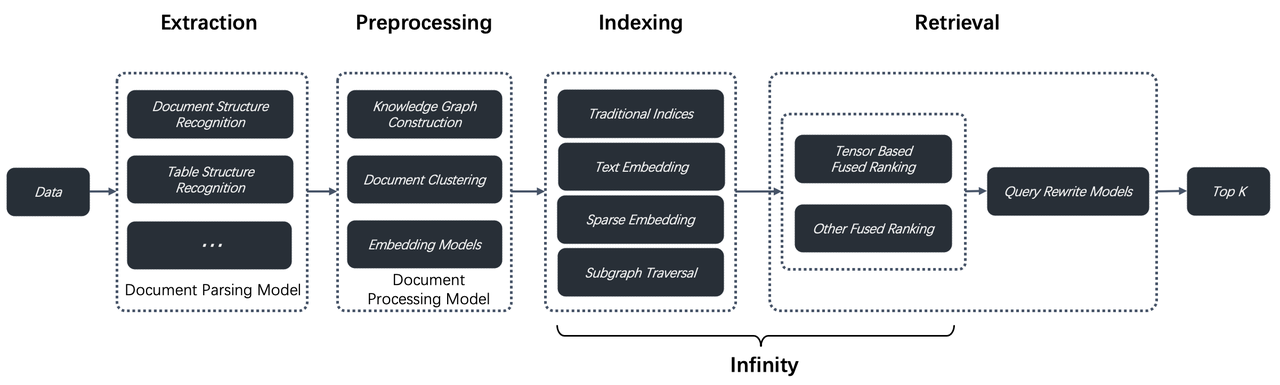
If ETL/ELT represents the standard pipeline for processing structured data in the modern data stack—with tools like dbt and Fivetran providing unified and flexible data integration solutions for data warehouses and data lakes—then RAGFlow's Ingestion Pipeline is positioned to become the equivalent infrastructure for unstructured data. The following diagram illustrates this architectural analogy:

Image

Specifically, while the Extract phase in ETL/ELT is responsible for pulling data from diverse sources, the RAGFlow Ingestion Pipeline augments this with a dedicated Parsing stage to extract information from unstructured data. This stage integrates multiple parsing models, led by DeepDoc, to convert multimodal documents (for example, text and images) into a unimodal representation suitable for processing.

In the Transform phase, where traditional ETL/ELT focuses on data cleansing and business logic, RAGFlow instead constructs a series of LLM-centric Agent components. These are optimized to address semantic gaps in retrieval, with a core mission that can be summarized as: to enhance recall and ranking accuracy.

For data loading, ETL/ELT writes results to a data warehouse or data lake, while RAGFlow uses an Indexer component to build the processed content into a retrieval-optimised index format. This reflects the RAG engine’s hybrid retrieval architecture, which must support full-text, vector, and future tensor-based retrieval to ensure optimal recall.

Thus, the modern data stack serves business analytics for structured data, whereas a RAG engine with an Ingestion Pipeline specializes in the intelligent retrieval of unstructured data—providing high-quality context for LLMs. Each occupies an equivalent ecological niche in its domain.

Regarding processing structured data, this is not the RAG engine’s core duty. It is handled by a Context Layer built atop the engine. This layer leverages the MCP (Model Context Protocol)—described as “TCP/IP for the AI era” —and accompanying Context Engineering to automate the population of all context types. This is a key focus area for RAGFlow’s next development phase.

Below is a preliminary look at the Ingestion Pipeline in v0.21.0; a more detailed guide will follow. We have introduced components for parsing, chunking, and other unstructured data processing tasks into the Agent Canvas, enabling users to freely orchestrate their parsing workflows.

Orchestrating an Ingestion Pipeline automates the process of parsing files and chunking them by length. It then leverages a large language model to generate summaries, keywords, questions, and even metadata. Previously, this metadata had to be entered manually. Now, a single configuration dramatically reduces maintenance overhead.

Furthermore, the pipeline process is fully observable, recording and displaying complete processing logs for each file.

Image

The implementation of the Ingestion Pipeline in version 0.21.0 is a foundational step. In the next release, we plan to significantly enhance it by:

  • Adding support for more data sources.
  • Providing a wider selection of Parsers.
  • Introducing more flexible Transformer components to facilitate orchestration of a richer set of semantic-enhancement templates.

Long-context RAG

As we enter 2025, Retrieval-Augmented Generation (RAG) faces notable challenges driven by two main factors.

Fundamental limitations of traditional RAG

Traditional RAG architectures often fail to guarantee strong dialogue performance because they rely on a retrieval mechanism built around text chunks as the primary unit. This makes them highly sensitive to chunk quality and can yield degraded results due to insufficient context. For example:

  • If a coherent semantic unit is split across chunks, retrieval can be incomplete.
  • If a chunk lacks global context, the information presented to the LLM is weakened.

While strategies such as automatically detecting section headers and attaching them to chunks can help with global semantics, they are constrained by header-identification accuracy and the header’s own completeness.

Cost-efficiency concerns with advanced pre-processing techniques

Modern pre-processing methods—GraphRAG, RAPTOR, and Context Retrieval—aim to inject additional semantic information into raw data to boost search hit rates and accuracy for complex queries. They, however, share issues of high cost and unpredictable effectiveness.

  • GraphRAG: This approach often consumes many times more tokens than the original text, and the automatically generated knowledge graphs are frequently unsatisfactory. Its effectiveness in complex multi-hop reasoning is limited by uncontrollable reasoning paths. As a supplementary retrieval outside the original chunks, the knowledge graph also loses some granular context from the source.
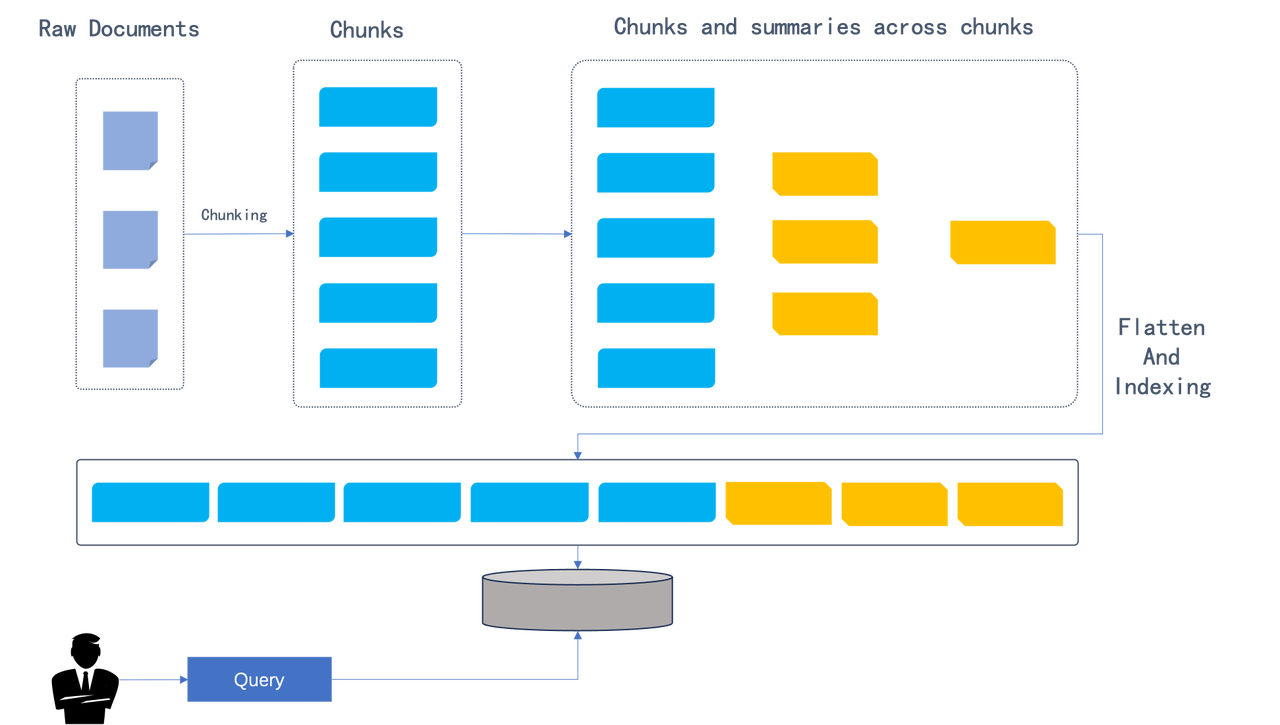
  • RAPTOR: This technique produces clustered summaries that are recalled as independent chunks but naturally lack the detail of the source text, reintroducing the problem of insufficient context.

Context Retrieval: This method enriches original chunks with extra semantics such as keywords or potential questions. It presents a clear trade-off:

  • The more effective option queries the LLM multiple times per chunk, using both full text and the current chunk for context, improving performance but driving token costs several times higher than the original text.
  • The cheaper option generates semantic information based only on the current chunk, saving costs but providing limited global context and modest performance gains. The last few years have seen the emergence of new RAG schemes.
  • Complete abandonment of retrieval: some approaches have the LLM read documents directly, splitting them into chunks according to the context window and performing multi-stage searches. First, the LLM decides which global document is relevant, then which chunks, and finally loads those chunks to answer. While this avoids recall inaccuracies, it harms response latency, concurrency, and large-scale data handling, making practical deployment difficult.
  • Abandoning embedding or indexing in favour of tools like grep: this evolves RAG into Agentic RAG. As applications grow more complex and user queries diversify, combining RAG with agents is increasingly inevitable, since only LLMs can translate raw inquiries into structured retrieval commands. In RAGFlow, this capability has long been realized. Abandoning indexing to use grep is a compromise for simplifying agent development in personal or small-scale contexts; in enterprise settings, a powerful retrieval engine remains essential.
  • Long-Context RAG: introduced in version 0.21.0 as part of the same family as GraphRAG, RAPTOR and Context Retrieval, this approach uses LLMs to enrich raw text semantics to boost recall while retaining indexing and search. Retrieval remains central. Long-context RAG mirrors how people consult information: identify relevant chapters via the table of contents, then locate exact pages for detail. During indexing, the LLM extracts and attaches chapter information to each chunk to provide global context; during retrieval, it finds matching chunks and uses the table-of-contents structure to fill in gaps from chunk fragmentation.
  • Current experience and future direction: users can try Long-Context RAG via the “TOC extraction” (Table of Contents) feature, though it is in beta. The next release will add an Ingestion Pipeline. A key path to improving RAG lies in using LLMs to enrich content semantics without discarding retrieval altogether. Consequently, a flexible pipeline that lets users assemble LLM-based content-transformation components is an important direction for enhancing RAG retrieval quality.

Backend management CLI

RAGFlow’s progression has shifted from core module development to strengthening administrative and operational capabilities.

  • In earlier versions, while parsing and retrieval-augmented generation improved, system administration lagged. Administrators could not modify passwords or delete accounts, complicating deployment and maintenance.
  • With RAGFlow 0.21.0, fundamental system management is markedly improved. A new command-line administration tool provides a central, convenient interface for administrators. Core capabilities include:
    • Service lifecycle management: monitoring built-in RAGFlow services for greater operational flexibility.
    • Comprehensive user management:
      • Create new registered users.
      • Directly modify login passwords.
      • Delete user accounts.
      • Enable or disable accounts.
      • View details of all registered users.
    • Resource overview: listing knowledge bases and Agents created under registered users for system-wide monitoring.

This upgrade underlines RAGFlow’s commitment to robust functionality and foundational administrative strength essential for enterprise use. Looking ahead, the team plans an enterprise-grade web administration panel and accompanying user interface to streamline management, boost efficiency, and enhance the end-user experience, supporting greater maturity and stability.

Finale

RAGFlow 0.21.0 marks a significant milestone, building on prior progress and outlining future developments. It introduces the first integration of Retrieval (RAG) with orchestration (Flow), forming an intelligent engine to support the LLM context layer, underpinned by unstructured data ELT and a robust RAG capability set.

From the user-empowered Ingestion Pipeline to long-context RAG that mitigates semantic fragmentation, and the management backend that ensures reliable operation, every new feature is designed to make the RAG system smarter, more flexible, and enterprise-ready. This is not merely a feature tally but an architectural evolution, establishing a solid foundation for future growth.

Our ongoing focus remains the LLM context layer: building a powerful, reliable data foundation for LLMs and effectively serving all Agents. This remains RAGFlow’s core aim.

We invite you to continue following and starring our project as we grow together.

GitHub: https://github.com/infiniflow/ragflow

RAGFlow 0.20.0 - Multi-Agent Deep Research

13 min read

Deep Research: The defining capability of the Agent era

The year 2025 is hailed as the dawn of Agent adoption. Among the many unlocked possibilities, Deep Research—and the applications built upon it—stands out as especially significant. Why is this? Using Agentic RAG and its reflection mechanism, Deep Research enables large language models to reason deeply with users’ proprietary data. This is key for Agents to tackle more advanced tasks. For example, whether helping with creative writing or aiding decision-making in different industries, these rely on Deep Research. Deep Research represents a natural step forward from RAG, improved by Agents. Unlike basic RAG, it explores data at a deeper level. Like RAG, it can work on its own or serve as the base for other industry-specific Agents. A Deep Research workflow typically follows this sequence:

  1. Decomposition & Planning: The large language model breaks down the user’s query and devises a plan.
  2. Multi-Source Retrieval: The query is sent to multiple data sources, including internal RAG and external web searches.
  3. Reflection & Refinement: The model reviews the retrieved information, reflects on it, summarizes key points, and adjusts the plan as needed.
  4. Iteration & Output: After several iterations, a data-specific chain of thought is formed to generate the final answer or report.

Image

Built-in Deep Research was already implemented in RAGFlow v0.18.0. Although at that stage it primarily served as a demo to validate and explore deep reasoning’s potential in enterprise settings. Across the industry, Deep Research implementations generally fall into two categories:

  • No-Code Workflow Orchestration: Using a visual workflow interface with predefined workflows to implement Deep Research.
  • Dedicated Agent Libraries or Frameworks: Many current solutions follow this approach (see [Reference 1] for details).

RAGFlow 0.20.0, a unified RAG and Agent engine supporting both Workflow and Agentic modes with seamless orchestration on a single canvas, can implement Deep Research through either approach. However, employing Workflow for Deep Research is only functional, as its interface appears like this:

Image

This gives rise to two main problems:

  1. Overly Complex and Unintuitive Orchestration: If the basic Deep Research template is already this complicated, a full application would become a tangled web of workflows that are hard to maintain and expand.
  2. Better Suited to Agentic Methods: Deep Research naturally relies on dynamic problem breakdown and decision-making, with control steps driven by algorithms. Workflow drag-and-drop interfaces only handle simple loops, lacking the flexibility needed for advanced control.

RAGFlow 0.20.0 offers a comprehensive Agent engine designed to help enterprises build production-ready Agents using no-code tools. As the key Agent template, Deep Research strikes a careful balance between simplicity and flexibility. Compared to other solutions, RAGFlow highlights these strengths:

  • Agentic Execution, No-Code Driven: A fully customisable application template—not just an SDK or runtime—that uses Agentic mechanisms while remaining easy to access through a no-code platform.
  • Human Intervention (Coming Soon): Although Deep Research depends on LLM-generated plans, which can feel like a black box, RAGFlow’s template will support manual oversight to introduce certainty—a vital feature for enterprise-grade Agents.
  • Business-Focused and Outcome-Oriented:

Developers can customise the Deep Research Agent’s structure and tools, such as configuring internal knowledge bases for enterprise data retrieval, to meet specific business needs. Full transparency in the Agent’s workflow—including its plans and execution results—allows timely optimisation based on clear, actionable insights.

Practical Guide to Setting Up Deep Research

We use a Multi-Agent architecture [Reference 2], carefully defining each Agent’s role and responsibilities through thorough Prompt Engineering [Reference 4] and task decomposition principles [Reference 6]:

  • Lead Agent: Coordinates the Deep Research Agent, handling task planning, reflection, and delegating to Subagents, while keeping track of all workflow progress.
  • Web Search Specialist Subagent: Acts as the information retrieval expert, querying search engines, assessing results, and returning URLs of the best-quality sources.
  • Deep Content Reader Subagent: Extracts and organises web content from the URLs provided by the Search Specialist, preparing refined material for report drafting.
  • Research Synthesizer Subagent: Generates professional, consultancy-grade deep-dive reports according to the Lead Agent’s instructions.

Model selection

  • Lead Agent: Prioritizes models with strong reasoning capabilities, such as DeepSeek-R1, Qwen-3, Kimi-2, ChatGPT-o3, Claude-4, or Gemini-2.5 Pro.
  • Subagents: Optimized for execution efficiency and quality, balancing reasoning speed with output reliability. Context window length is also a key criterion based on their specific roles.

Temperature setting

Given the fact-driven nature of this application, we set the temperature parameter to 0.1 across all models to ensure deterministic, grounded outputs.

Deep research lead agent

Model Selection: Qwen-Max

Excerpts from Core System Prompt:

  1. The prompt directs the Deep Research Agent's workflow and task delegation to Subagents, greatly enhancing efficiency and flexibility compared to traditional workflow orchestration.
<execution_framework>
**Stage 1: URL Discovery**
- Deploy Web Search Specialist to identify 5 premium sources
- Ensure comprehensive coverage across authoritative domains
- Validate search strategy matches research scope

**Stage 2: Content Extraction**
- Deploy Content Deep Reader to process 5 premium URLs
- Focus on structured extraction with quality assessment
- Ensure 80%+ extraction success rate

**Stage 3: Strategic Report Generation**
- Deploy Research Synthesizer with detailed strategic analysis instructions
- Provide specific analysis framework and business focus requirements
- Generate comprehensive McKinsey-style strategic report (~2000 words)
- Ensure multi-source validation and C-suite ready insights
</execution_framework>
  1. Dynamically create task execution plans and carry out BFS or DFS searches [Reference 3]. While traditional workflows struggle to orchestrate BFS/DFS logic, RAGFlow’s Agent achieves this effortlessly through prompt engineering.
<research_process>
...
**Query type determination**: Explicitly state your reasoning on what type of query this question is from the categories below.
...
**Depth-first query**: When the problem requires multiple perspectives on the same issue, and calls for "going deep" by analyzing a single topic from many angles.
...
**Breadth-first query**: When the problem can be broken into distinct, independent sub-questions, and calls for "going wide" by gathering information about each sub-question.
...
**Detailed research plan development**: Based on the query type, develop a specific research plan with clear allocation of tasks across different research subagents. Ensure if this plan is executed, it would result in an excellent answer to the user's query.
</research_process>

Web search specialist subagent

Model Selection: Qwen-Plus Excerpts from Core System Prompt Design:

  1. Role Definition:
You are a Web Search Specialist working as part of a research team. Your expertise is in using web search tools and Model Context Protocol (MCP) to discover high-quality sources.

**CRITICAL: YOU MUST USE WEB SEARCH TOOLS TO EXECUTE YOUR MISSION**

<core_mission>
Use web search tools (including MCP connections) to discover and evaluate premium sources for research. Your success depends entirely on your ability to execute web searches effectively using available search tools.

**CRITICAL OUTPUT CONSTRAINT**: You MUST provide exactly 5 premium URLs - no more, no less. This prevents attention fragmentation in downstream analysis.
</core_mission>
  1. Design the search strategy:
<process>
1. **Plan**: Analyze the research task and design search strategy
2. **Search**: Execute web searches using search tools and MCP connections
3. **Evaluate**: Assess source quality, credibility, and relevance
4. **Prioritize**: Rank URLs by research value (High/Medium/Low) - **SELECT TOP 5 ONLY**
5. **Deliver**: Provide structured URL list with exactly 5 premium URLs for Content Deep Reader

**MANDATORY**: Use web search tools for every search operation. Do NOT attempt to search without using the available search tools.
**MANDATORY**: Output exactly 5 URLs to prevent attention dilution in Lead Agent processing.
</process>
  1. Search Strategies and How to Use Tools Like Tavily
<search_strategy>
**MANDATORY TOOL USAGE**: All searches must be executed using web search tools and MCP connections. Never attempt to search without tools.
**MANDATORY URL LIMIT**: Your final output must contain exactly 5 premium URLs to prevent Lead Agent attention fragmentation.

- Use web search tools with 3-5 word queries for optimal results
- Execute multiple search tool calls with different keyword combinations
- Leverage MCP connections for specialized search capabilities
- Balance broad vs specific searches based on search tool results
- Diversify sources: academic (30%), official (25%), industry (25%), news (20%)
- Execute parallel searches when possible using available search tools
- Stop when diminishing returns occur (typically 8-12 tool calls)
- **CRITICAL**: After searching, ruthlessly prioritize to select only the TOP 5 most valuable URLs

**Search Tool Strategy Examples:**
* **Broad exploration**: Use search tools → "AI finance regulation" → "financial AI compliance" → "automated trading rules"
* **Specific targeting**: Use search tools → "SEC AI guidelines 2024" → "Basel III algorithmic trading" → "CFTC machine learning"
* **Geographic variation**: Use search tools → "EU AI Act finance" → "UK AI financial services" → "Singapore fintech AI"
* **Temporal focus**: Use search tools → "recent AI banking regulations" → "2024 financial AI updates" → "emerging AI compliance"
</search_strategy>

Deep content reader subagent

Model Selection: Moonshot-v1-128k Core System Prompt Design Excerpts:

  1. Role Definition Framework
You are a Content Deep Reader working as part of a research team. Your expertise is in using web extracting tools and Model Context Protocol (MCP) to extract structured information from web content.

**CRITICAL: YOU MUST USE WEB EXTRACTING TOOLS TO EXECUTE YOUR MISSION**

<core_mission>
Use web extracting tools (including MCP connections) to extract comprehensive, structured content from URLs for research synthesis. Your success depends entirely on your ability to execute web extractions effectively using available tools.
</core_mission>
  1. Agent Planning and Web Extraction Tool Utilization
<process>
1. **Receive**: Process `RESEARCH_URLS` (5 premium URLs with extraction guidance)
2. **Extract**: Use web extracting tools and MCP connections to get complete webpage content and full text
3. **Structure**: Parse key information using defined schema while preserving full context
4. **Validate**: Cross-check facts and assess credibility across sources
5. **Organize**: Compile comprehensive `EXTRACTED_CONTENT` with full text for Research Synthesizer

**MANDATORY**: Use web extracting tools for every extraction operation. Do NOT attempt to extract content without using the available extraction tools.

**TIMEOUT OPTIMIZATION**: Always check extraction tools for timeout parameters and set generous values:
- **Single URL**: Set timeout=45-60 seconds
- **Multiple URLs (batch)**: Set timeout=90-180 seconds
- **Example**: `extract_tool(url="https://example.com", timeout=60)` for single URL
- **Example**: `extract_tool(urls=["url1", "url2", "url3"], timeout=180)` for multiple URLs
</process>

<processing_strategy>
**MANDATORY TOOL USAGE**: All content extraction must be executed using web extracting tools and MCP connections. Never attempt to extract content without tools.

- **Priority Order**: Process all 5 URLs based on extraction focus provided
- **Target Volume**: 5 premium URLs (quality over quantity)
- **Processing Method**: Extract complete webpage content using web extracting tools and MCP
- **Content Priority**: Full text extraction first using extraction tools, then structured parsing
- **Tool Budget**: 5-8 tool calls maximum for efficient processing using web extracting tools
- **Quality Gates**: 80% extraction success rate for all sources using available tools
</processing_strategy>

Research synthesizer subagent

Model Selection: Moonshot-v1-128k Special Note: The Subagent handling final report generation must use models with very long context windows. This is essential for processing extensive context and producing thorough reports. Models with limited context risk truncating information, resulting in shorter reports. Other potential model options include but are not limited to:

  • Qwen-Long (10M tokens)
  • Claude 4 Sonnet (200K tokens)
  • Gemini 2.5 Flash (1M tokens) Excerpts from Core Prompt Design:
  1. Role Definition Design
You are a Research Synthesizer working as part of a research team. Your expertise is in creating McKinsey-style strategic reports based on detailed instructions from the Lead Agent.

**YOUR ROLE IS THE FINAL STAGE**: You receive extracted content from websites AND detailed analysis instructions from Lead Agent to create executive-grade strategic reports.

**CRITICAL: FOLLOW LEAD AGENT'S ANALYSIS FRAMEWORK**: Your report must strictly adhere to the `ANALYSIS_INSTRUCTIONS` provided by the Lead Agent, including analysis type, target audience, business focus, and deliverable style.

**ABSOLUTELY FORBIDDEN**:
- Never output raw URL lists or extraction summaries
- Never output intermediate processing steps or data collection methods
- Always output a complete strategic report in the specified format

<core_mission>
**FINAL STAGE**: Transform structured research outputs into strategic reports following Lead Agent's detailed instructions.

**IMPORTANT**: You receive raw extraction data and intermediate content - your job is to TRANSFORM this into executive-grade strategic reports. Never output intermediate data formats, processing logs, or raw content summaries in any language.
</core_mission>
  1. Autonomous Task Execution
<process>
1. **Receive Instructions**: Process `ANALYSIS_INSTRUCTIONS` from Lead Agent for strategic framework
2. **Integrate Content**: Access `EXTRACTED_CONTENT` with FULL_TEXT from 5 premium sources
- **TRANSFORM**: Convert raw extraction data into strategic insights (never output processing details)
- **SYNTHESIZE**: Create executive-grade analysis from intermediate data
3. **Strategic Analysis**: Apply Lead Agent's analysis framework to extracted content
4. **Business Synthesis**: Generate strategic insights aligned with target audience and business focus
5. **Report Generation**: Create executive-grade report following specified deliverable style

**IMPORTANT**: Follow Lead Agent's detailed analysis instructions. The report style, depth, and focus should match the provided framework.
</process>
  1. Structure of the generated report
<report_structure>
**Executive Summary** (400 words)
- 5-6 core findings with strategic implications
- Key data highlights and their meaning
- Primary conclusions and recommended actions

**Analysis** (1200 words)
- Context & Drivers (300w): Market scale, growth factors, trends
- Key Findings (300w): Primary discoveries and insights
- Stakeholder Landscape (300w): Players, dynamics, relationships
- Opportunities & Challenges (300w): Prospects, barriers, risks

**Recommendations** (400 words)
- 3-4 concrete, actionable recommendations
- Implementation roadmap with priorities
- Success factors and risk mitigation
- Resource allocation guidance

**Examples:**

**Executive Summary Format:**

Key Finding 1: [FACT] 73% of major banks now use AI for fraud detection, representing 40% growth from 2023

  • Strategic Implication: AI adoption has reached critical mass in security applications
  • Recommendation: Financial institutions should prioritize AI compliance frameworks now

...

</report_structure>

Upcoming versions

The current RAGFlow 0.20.0 release does not yet support human intervention in Deep Research execution, but this feature is planned for future updates. It is crucial for making Deep Research production-ready, as it adds certainty and improves accuracy [Reference 5] to what would otherwise be uncertain automated processes. Manual oversight will be vital for enterprise-grade Deep Research applications.

Image

We warmly invite everyone to stay tuned and star RAGFlow at https://github.com/infiniflow/ragflow

Bibliography

  1. Awesome Deep Research https://github.com/DavidZWZ/Awesome-Deep-Research
  2. How we built our multi-agent research system https://www.anthropic.com/engineering/built-multi-agent-research-system
  3. Anthropic Cookbook https://github.com/anthropics/anthropic-cookbook
  4. State-Of-The-Art Prompting For AI Agents https://youtu.be/DL82mGde6wo?si=KQtOEiOkmKTpC_1E
  5. From Language Models to Language Agents https://ysymyth.github.io/papers/from_language_models_to_language_agents.pdf
  6. Agentic Design Patterns Part 5, Multi-Agent Collaboration https://www.deeplearning.ai/the-batch/agentic-design-patterns-part-5-multi-agent-collaboration/

Agentic Workflow - What's inside RAGFlow 0.20.0

8 min read

1. From Workflow to Agentic Workflow

After a long wait, RAGFlow 0.20.0 has finally been released—a milestone update that completes the bigger picture of RAG/Agent. A year ago, RAGFlow introduced Agent functionality, but it only supported manually managed Workflows and lacked Agentic Workflow capabilities. By RAGFlow's definition, a true Agent requires both: Workflows for human-defined tasks and Agentic Workflows powered by LLM-driven automation. Anthropic’s 2024 article "Building Effective Agents" emphasized this distinction, noting that Workflows continue to be the primary way Agents are used. Now, in 2025, as LLMs become more advanced, Agentic Workflows are enabling more impressive use cases.

Image

Ideally, fully LLM-driven Agentic Workflows are the ultimate goal for most Agent applications. However, due to current limitations of LLMs, they introduce unpredictability and a lack of control—issues that are especially problematic in enterprise settings. On the other hand, traditional Workflows take the opposite approach: using low-code platforms where every variable, condition, and loop is explicitly defined. This allows non-technical business users to effectively “program” based on their understanding of the logic. While this ensures predictability, it often leads to overly complex, tangled workflows that are hard to maintain and prone to misuse. More importantly, it makes it difficult to properly break down and manage tasks. Therefore, the long-term solution requires both Agentic and manual Workflows working together in harmony. Only this unified approach can truly meet the demands of enterprise-level Agents. With full Agent capabilities now in place, RAGFlow has become a more enterprise-ready, platform-level LLM engine. In the enterprise ecosystem, RAG occupies a role similar to traditional databases, while Agents serve as the specific applications—yet there are important differences. First, RAG focuses on leveraging unstructured data rather than structured datasets. Second, the interaction between RAG and Agents is much more frequent and intensive compared to typical application-database relationships because Agents need real-time, precise context to ensure their actions align closely with user intent. RAG plays a vital role in providing this context. For these reasons, completing the Agent capabilities is key to RAGFlow’s evolution.

Image

Let’s take a look at the key features of RAGFlow 0.20.0.

2. Key Updates in RAGFlow 0.20.0

The key features of this release include:

  • Unified orchestration of both Agents and Workflows.
  • A complete refactor of the Agent, significantly improving its capabilities and usability, with support for Multi-Agent configurations, planning and reflection, and visual features.
  • Full MCP functionality, enabling MCP Server import, Agents to act as MCP Clients, and RAGFlow itself to function as an MCP Server.
  • Access to runtime logs for Agents.
  • Chat histories with Agents available via the management panel.

How does the updated Agent-building experience differ for developers?

Take the 0.19.1 customer service template as an example: previously, building this Workflow required seven types of components (Begin, Interact, Refine Question, Categorize, Knowledge Retrieval, Generate, and Message), with the longest chain for a category 4 question involving seven steps.

Image

In the new version, building in pure Workflow mode requires only five types of components (Begin, Categorize, Knowledge Retrieval, Agent, and Message), with the workflow for a category 4 question (product related) reduced to five steps.

Image

With Agentic mode, just three types of components are needed - the original workflow logic can now be handled entirely through prompt engineering.

Image

Developers can inspect Agents' execution paths and verify their inputs/outputs.

Image

Business users can view Agents' reasoning processes through either the embedded page or chat interface.

Image

This comparison quantitatively demonstrates reduced complexity and improved efficiency. Further details follow below - we encourage you to try it yourself.

3. A unified orchestration engine for Agents

RAGFlow 0.20.0 introduces unified orchestration of both Workflow and Agentic Workflow. As mentioned earlier, these represent two extremes, but enterprise scenarios demand their collaboration. The platform now supports co-orchestration on one, inherently Multi-Agent canvas—users can designate uncertain inputs as Agentic Workflows and deterministic ones as Workflows. To align with common practice, Agentic Workflows are represented as separate Agent components on the canvas. This release redesigns the orchestration interface and component functions around this goal, while also improving usability issues from earlier Workflow versions. Key improvements include reducing core Components from 12 to 10, with the main changes as follows:

Image

Begin component

It now supports a task-based Agent mode that does not require a conversation to be triggered. Developers can build both conversational and task-based Agents on the same canvas.

Image

Retrieval component

Retrieval can function as a component within a workflow and also be used as a Tool by an Agent component, enabling the Agent to determine when and how to invoke retrieval queries.

Image

Agent component

Image

An Agent capable of independently replacing your work needs to have the following abilities:

  • Autonomous reasoning [1], with the capacity to reflect and adjust based on environmental feedback
  • The ability to use tools to complete tasks [3]

With the new Agent component, developers only need to configure the Prompt and Tools to quickly build an Agent, as RAGFlow has already handled the underlying technical implementation.

Image

Besides the single-agent mode, the new agent component also supports adding subagents that can be called during runtime.

Image

You can freely add agents to build your own unlimited agent team.

Image

Add and bulk import your already deployed MCP Servers.

Image

Tools from added MCP Servers can be used within the agent.

Image

Await Response component

The original Interact component has been refactored into an await-response component, allowing developers to actively pause the process to initiate preset conversations and collect key information via forms.

Image

Switch component

Improved the usability of the switch component.

Image

Iteration component

The input parameter type for the Iteration component has been changed to an array; during iteration, both the index and value are accessible to internal components, whose outputs can be formed into an array and passed downstream.

Image

Reply Message component

Messages can now be replied to directly via Reply Message, eliminating the need for the Interact component.

Image

Text Processing component

Developers can easily concatenate strings through Text Processing.

Image

You can also split strings into arrays.

Image

Summary

RAGFlow 0.20 enables simultaneous orchestration of both Agentic and Workflow modes, with built-in Multi-Agent support allowing multiple agents to coexist on a single canvas. For open-ended queries like “Why has company performance declined?” where the approach isn’t predetermined, users can define the process in Agentic style. In contrast, scenarios with clear, fixed steps use Workflow style. This lets developers build Agent applications with minimal configuration. The seamless integration of Agentic and Workflow approaches is the best practice for deploying enterprise-grade intelligent agents.

4. Application Ecosystem and Future Development

With a complete, unified no-code Agent framework in place, RAGFlow naturally supports a wide range of scenario-specific Agent applications—this is a major focus for its long-term development. In other words, a vast number of Agent templates will be built on top of RAGFlow, backed by our new ecosystem co-creation initiative.

RAGFlow 0.20.0 introduces Deep Research as a built-in template—an exceptional Agent that can serve both as a standalone application and as a foundation for building other intelligent agents. We will explain how to build the Deep Research template in detail in a forthcoming article.

The example below shows that on the RAGFlow platform, Deep Research can be created using either Agentic Workflow or traditional Workflow methods, with the former offering far greater flexibility and simplicity. Deep Research built via a traditional Workflow:

Image

Deep Research built with an Agentic Workflow shows significantly reduced complexity compared to the Workflow implementation above:

Image

RAGFlow’s ecosystem initiative aims to provide enterprise-ready Agent templates embedded with industry know-how. Developers can easily customize these templates to fit their own business needs. Among these, Deep Research is the most important, as it represents the most common form of Agentic RAG and represents the essential path for Agents to unlock deeper value from enterprise data. Built on RAGFlow’s built-in Deep Research template, developers can quickly adapt it into specialized assistants—such as legal or medical advisors—significantly narrowing the gap between business systems and underlying infrastructure. This ecosystem approach is made possible by the close collaboration between RAG and Agents. The 0.20.0 release marks a major step in integrating RAG and Agent capabilities within RAGFlow, with rapid updates planned ahead, including memory management and manual adjustment of Agent Plans. While unifying Workflow and Agentic Workflow greatly lowers the barriers to building enterprise Agents, and the ecosystem expands their application scope, the data foundation that merges structured and unstructured data around RAG remains the cornerstone of Agent capabilities. This approach is now known as “context engineering,” with traditional RAG representing its 1.0 version. Our future articles will explore these advancements in greater detail.

Image

We welcome your continued support - star RAGFlow on GitHub: https://github.com/infiniflow/ragflow

Bibliography

  1. ReAct: Synergizing Reasoning and Acting in Language Models https://arxiv.org/abs/2210.03629
  2. Reflexion: Language Agents with Verbal Reinforcement Learning https://arxiv.org/abs/2303.11366
  3. A Practical Guide to Building Agents https://cdn.openai.com/business-guides-and-resources/a-practical-guide-to-building-agents.pdf

A deep dive into RAGFlow v0.15.0

6 min read

The final release of RAGFlow for the year of 2024, v0.15.0, has just been released, bringing the following key updates:

Agent Improvements

This version introduces several enhancements to the Agent, including additional APIs, step-run debugging, and import/export capabilities. Since v0.13.0, RAGFlow's Agent has been restructured to improve usability. The step-run debugging feature finalizes this process, enabling operators in the Agent workflow to be executed individually, thereby assisting users in debugging based on output information.`

Implementing Text2SQL with RAGFlow

5 min read

RAGFlow introduces the Text2SQL feature in response to community demand. Traditional Text2SQL requires model fine-tuning, which can significantly increase deployment and maintenance costs when used in enterprise settings alongside RAG or Agent components. RAGFlow’s RAG-based Text2SQL leverages the existing (connected) large language model (LLM), enabling seamless integration with other RAG/Agent components without the need for additional fine-tuned models.`

How Our GraphRAG Reveals the Hidden Relationships of Jon Snow and the Mother of Dragons

6 min read

RAGFlow v0.9 introduces support for GraphRAG, which has recently been open-sourced by Microsoft, allegedly the next generation of Retrieval-Augmented Generation (RAG). Within the RAGFlow framework, we have a more comprehensive definition of RAG 2.0. This proposed end-to-end system is search-centric and consists of four stages. The last two stages—indexing and retrieval—primarily require a dedicated database, while the first two stages are defined as follows:`

RAGFlow Enters Agentic Era

8 min read

As of v0.8, RAGFlow is officially entering the Agentic era, offering a comprehensive graph-based task orchestration framework on the back-end and a no-code workflow editor on the front-end. Why agentic? How does this feature differ from existing workflow orchestration systems?`

Agentic RAG - Definition and Low-code Implementation

6 min read

The workflow of a naive RAG system can be summarized as follows: the RAG system does retrieval from a specified data source using the user query, reranks the retrieval results, appends prompts, and sends them to the LLM for final answer generation.

A naive RAG suffices in scenarios where the user's intent is evident, as the answer is included in the retrieved results and can be sent directly to the LLM. Yet, in most circumstances ambiguous user intents are the norm and demand iterative queries to generate the final answer. For instance, questions involving summarizing multiple documents require multi-step reasoning. These scenarios necessitate Agentic RAG, which involves task orchestration mechanisms during the question-answering process.

Agent and RAG complement each other. Agentic RAG, as the name suggests, is an agent-based RAG. The major distinction between an agentic RAG and a naive RAG is that agentic RAG introduces a dynamic agent orchestration mechanism, which criticizes retrievals, rewrites query according to the intent of each user query, and employs "multi-hop" reasoning to handle complex question-answering tasks.`

Implementing a long-context RAG based on RAPTOR
4 min read

RAGFlow v0.6.0 was released this week, solving many ease-of-use and stability issues that emerged since it was open sourced earlier this April. Future releases of RAGFlow will focus on tackling the deep-seated problems of RAG capability. Hate to say it, existing RAG solutions in the market are still in POC (Proof of Concept) stage and can’t be applied directly to real production scenarios. `