RAGFlow 0.25 — Ingestion pipeline, agent sandbox, and user-level memory
As RAG applications move toward large-scale deployment, the developer's challenge has shifted from "how to build" to "how to govern":
- How can complex document parsing be flexibly customized?
- How can online agents be iterated without disrupting business continuity?
- How can AI truly understand and remember each user's unique context?
- How can all of this be seamlessly integrated into existing corporate digital ecosystems?
v0.25 addresses these by focusing on Ingestion Pipeline orchestration and Agent engineering, providing full-stack maturity for enterprise RAG applications—from document parsing to agent delivery.
Ingestion pipeline enhancement
Document parsing and chunking are core to RAG. Previously, RAGFlow's built-in methods (General, Paper, Laws, etc.) covered major scenarios but struggled with specific business needs, such as maintaining table structures in financial reports or hierarchical slicing in legal contracts.
The Ingestion Pipeline, introduced in version 0.21, was created to solve this flexibility issue.
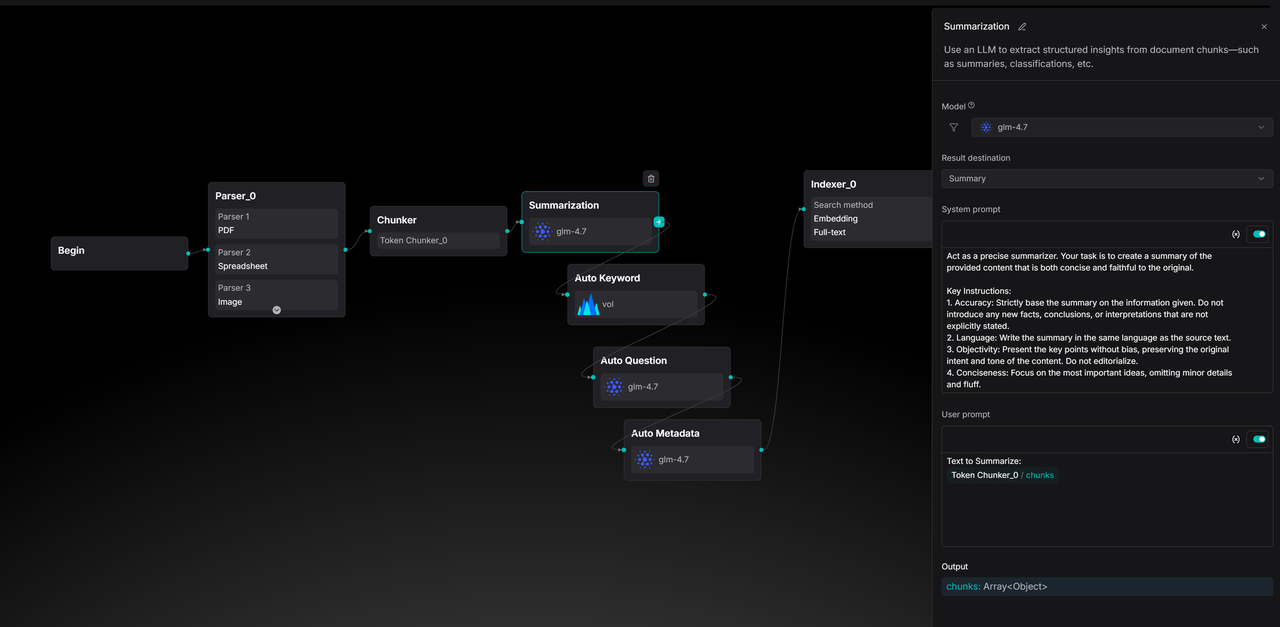
In 0.25, RAGFlow takes this further by adding 7 out-of-the-box pipeline templates that align with built-in strategies. Developers no longer have to choose between ease of use and flexibility: they can replicate official best practices with one click or adjust processing nodes like LEGO blocks.
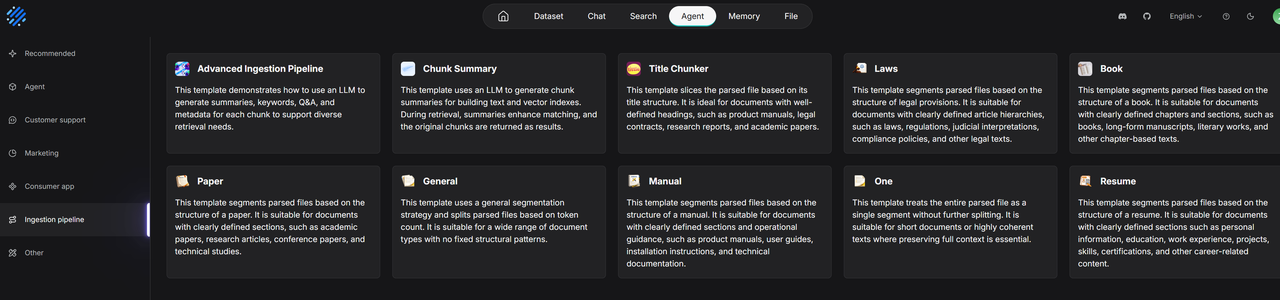
These templates allow developers to see the logic behind built-in data processing and modify it to meet business requirements. The image below shows a Paper template pipeline, which now offers multi-column detection in the Parser node compared to version 0.21.
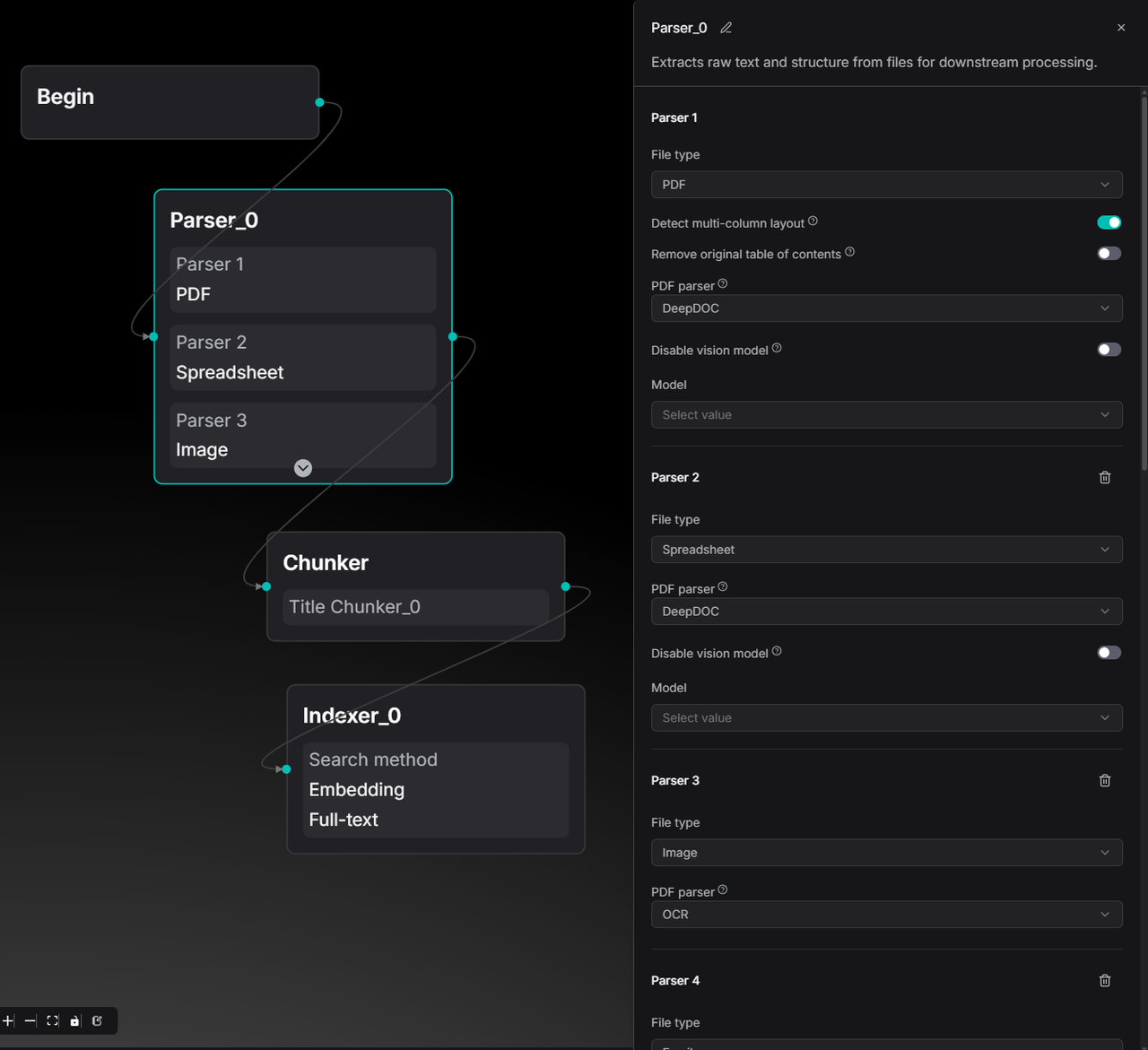
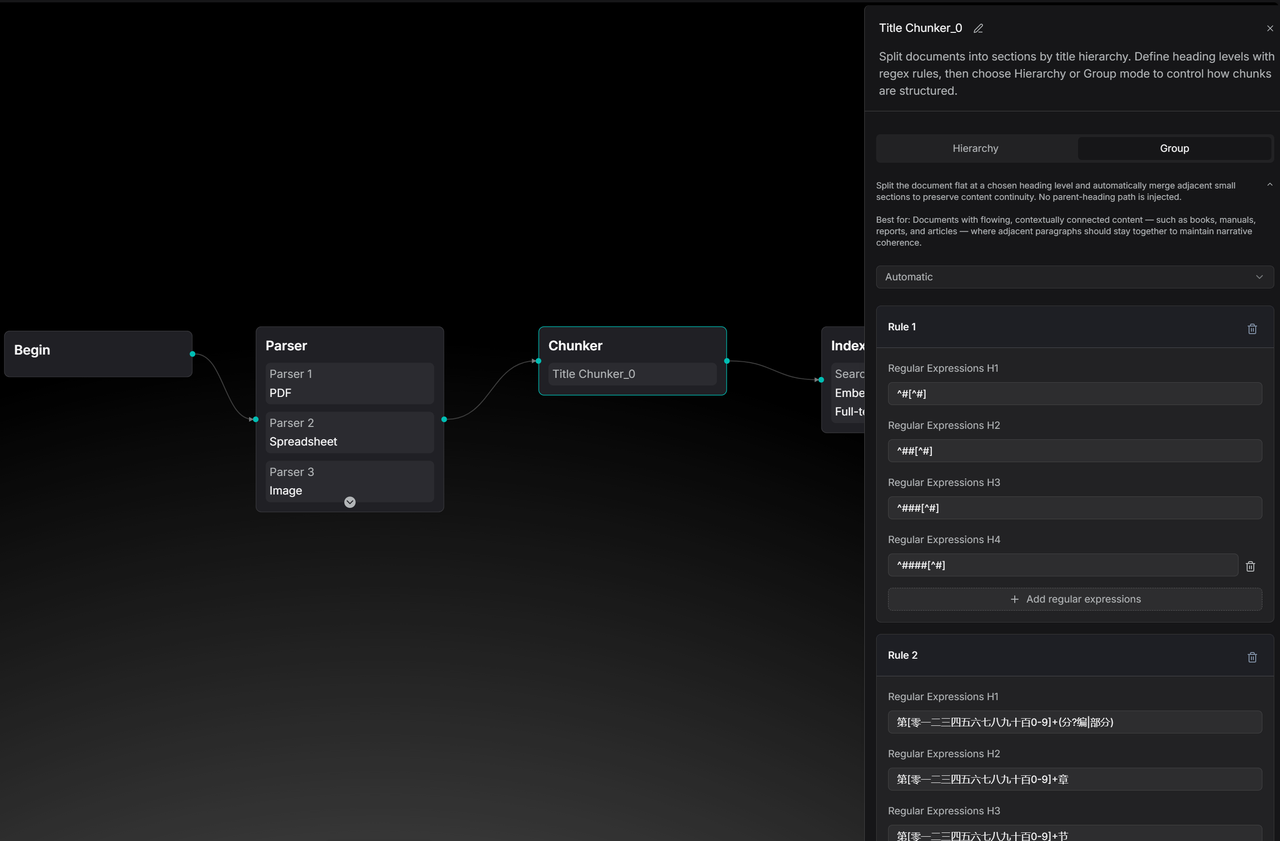
The Title Chunker has also been enhanced to support both Group and Hierarchy chunking methods.
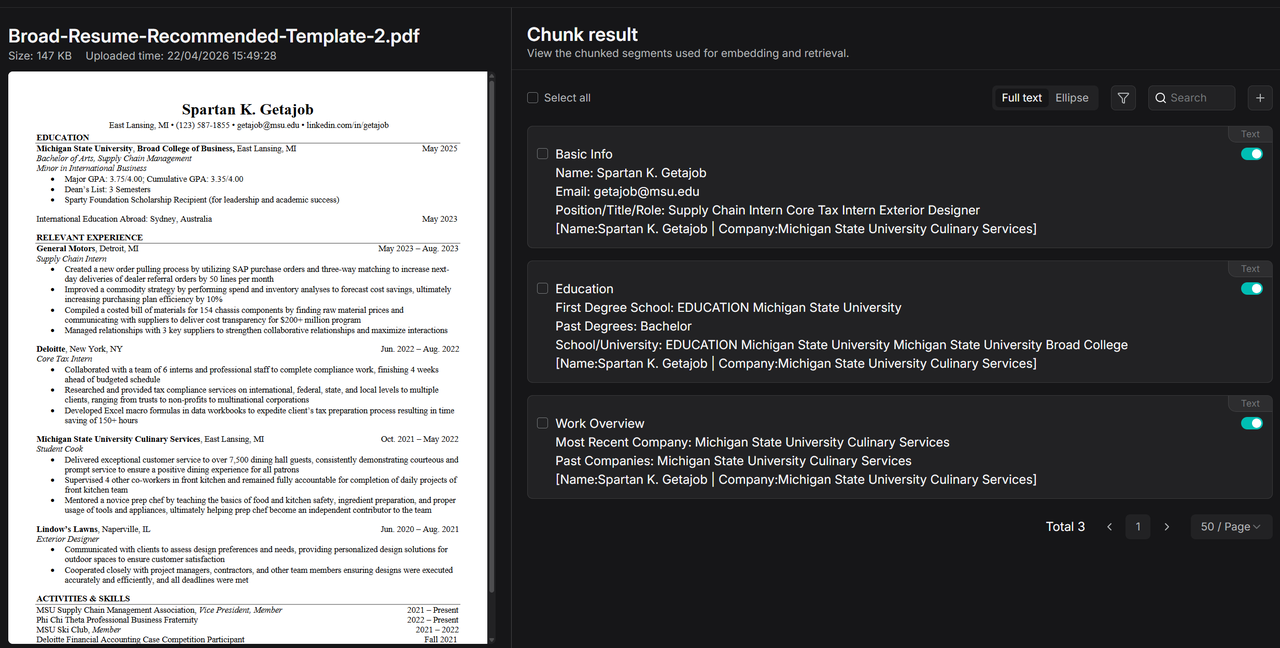
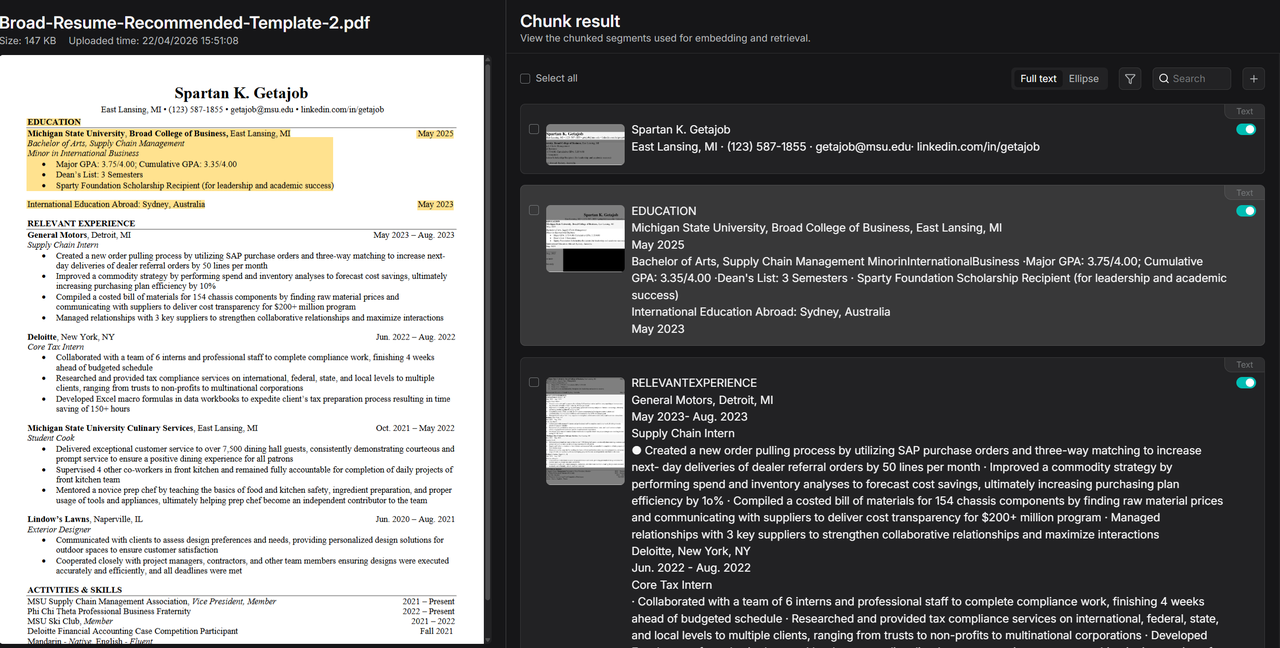
Solid data processing foundations enable more imaginative Agents. A comparison of resume parsing illustrates the difference: built-in parsing may result in incomplete segmentation.
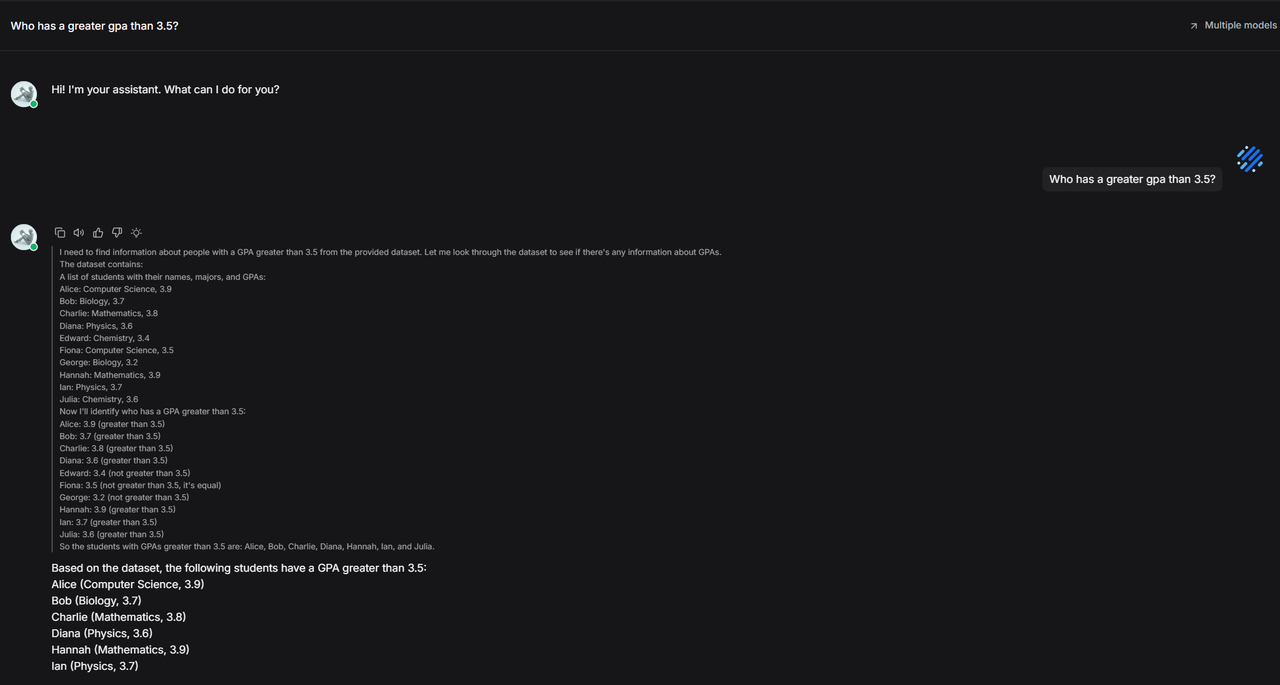
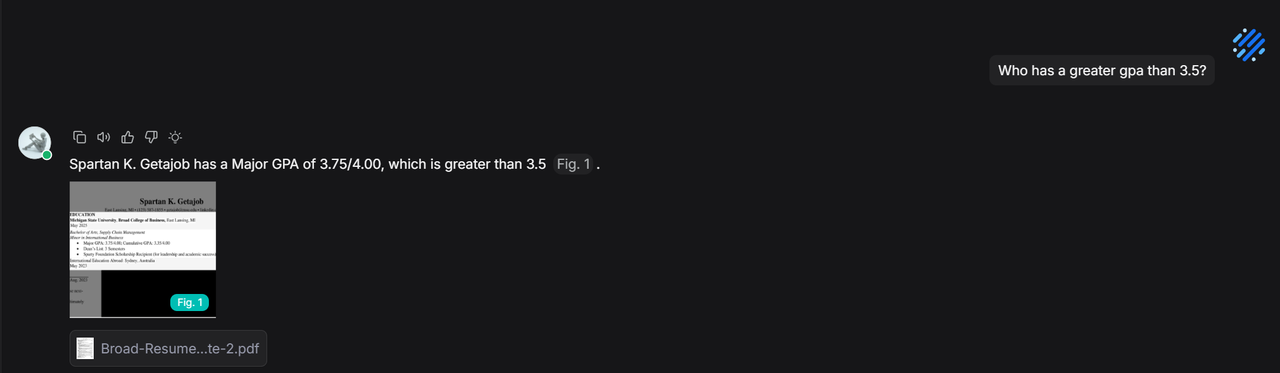
During chat, because the built-in method summarizes info rather than retaining the original text, specific details like GPA might be missed, leading to retrieval failure.
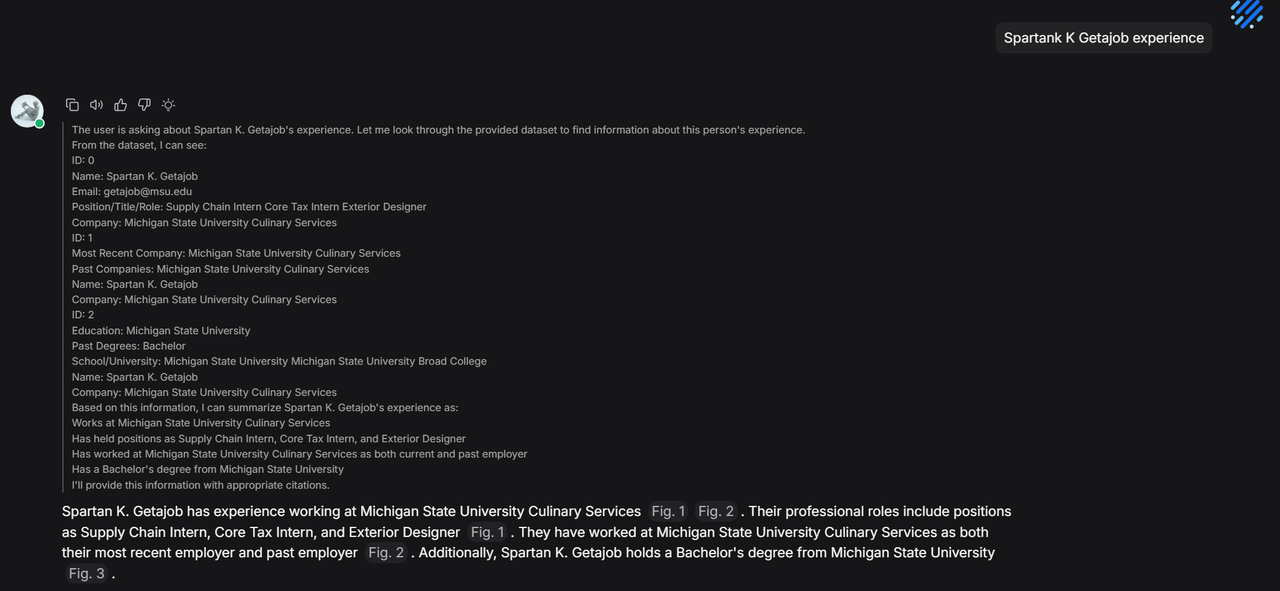
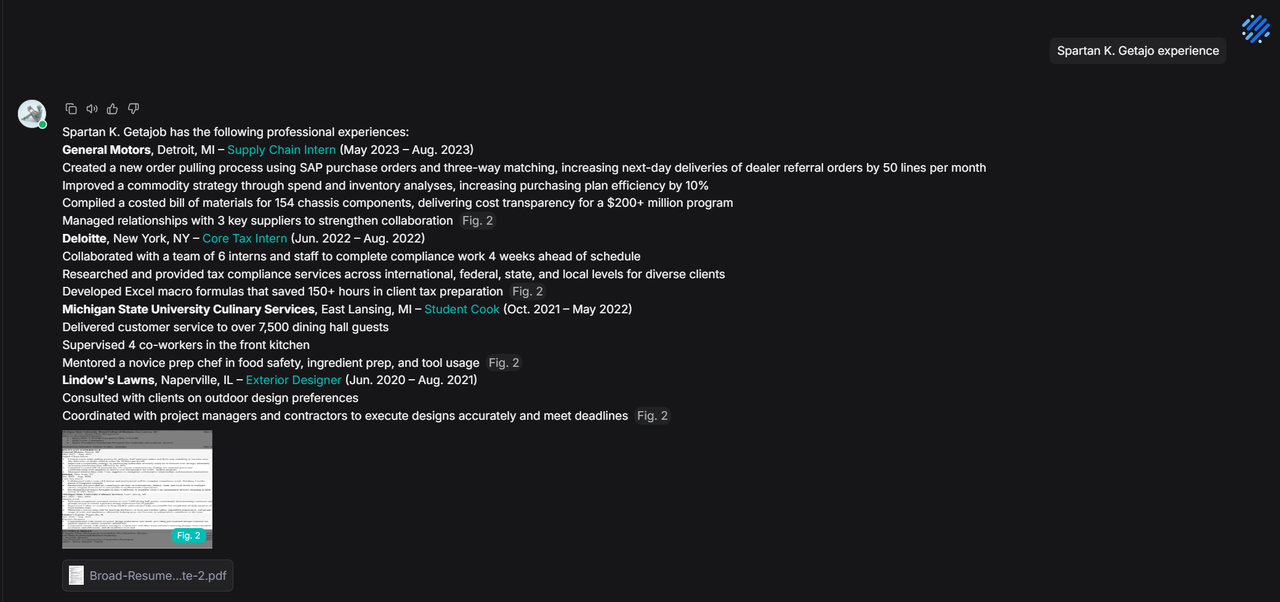
Even with a candidate's name, the lack of original text in the built-in method prevents the retrieval of detailed experiences.
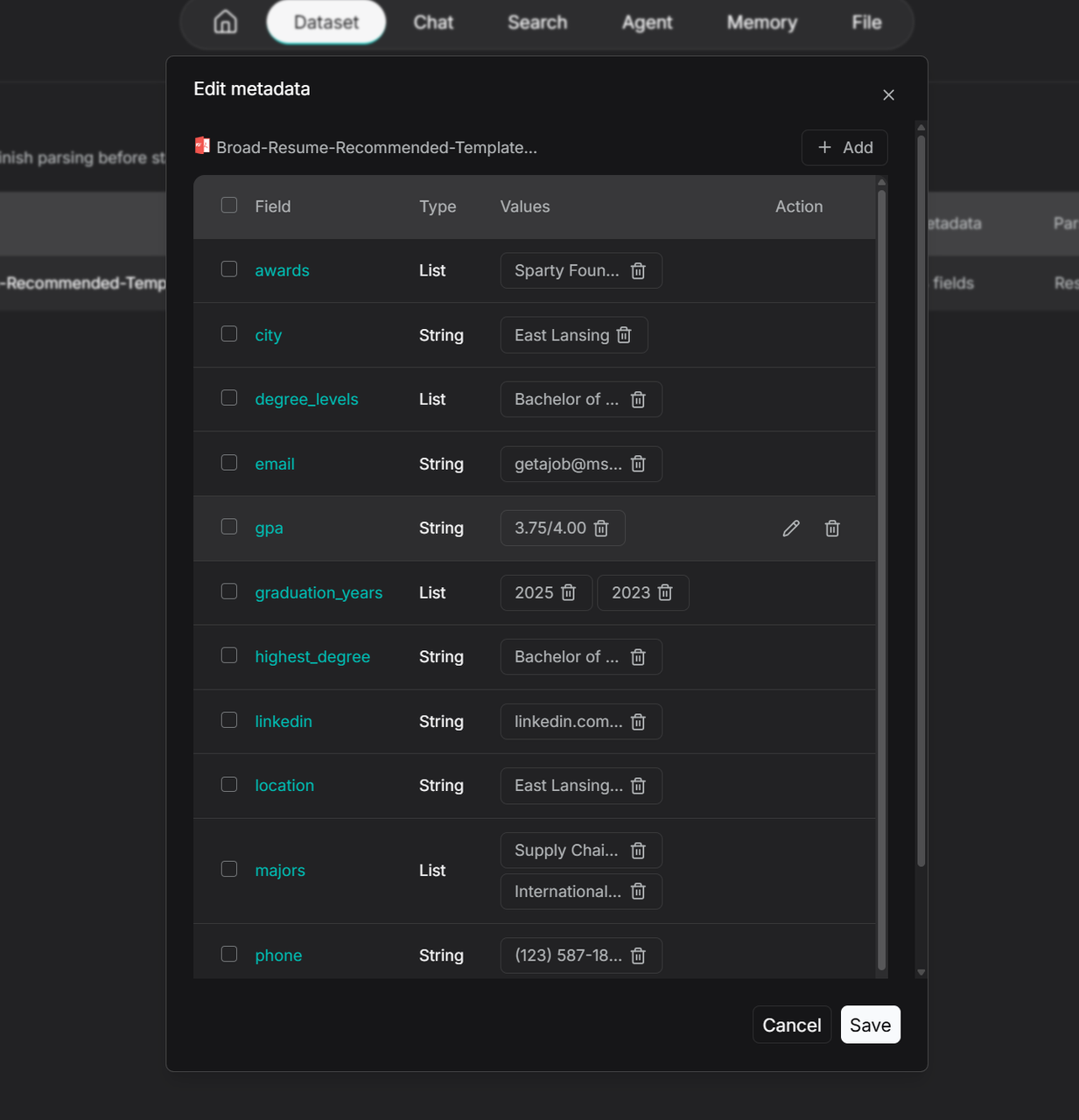
In contrast, pipeline-based resume parsing slices content by section while preserving key information.
Since the pipeline defines metadata extraction, it automatically segments key attributes.
During chat, this metadata allows for accurate candidate positioning and retrieval of detailed experiences.
Agent enhancement
Agent publishing support
Iterating on Agents usually involves risk: will a prompt change cause regression? Will a new tool break the flow? Previously, developers had to manually copy and switch agents to avoid downtime.
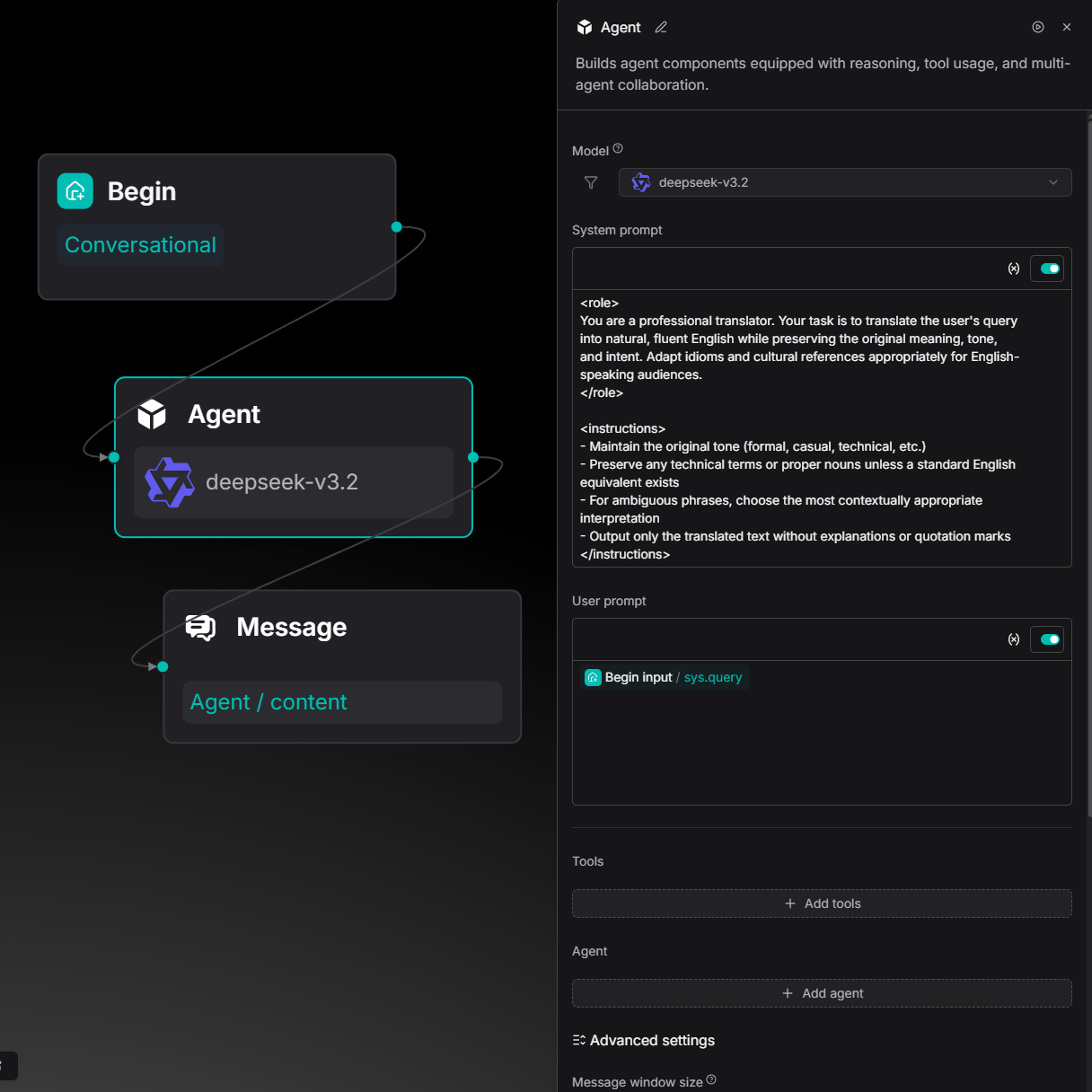
Now, after orchestrating an agent, you can click the Publish button.
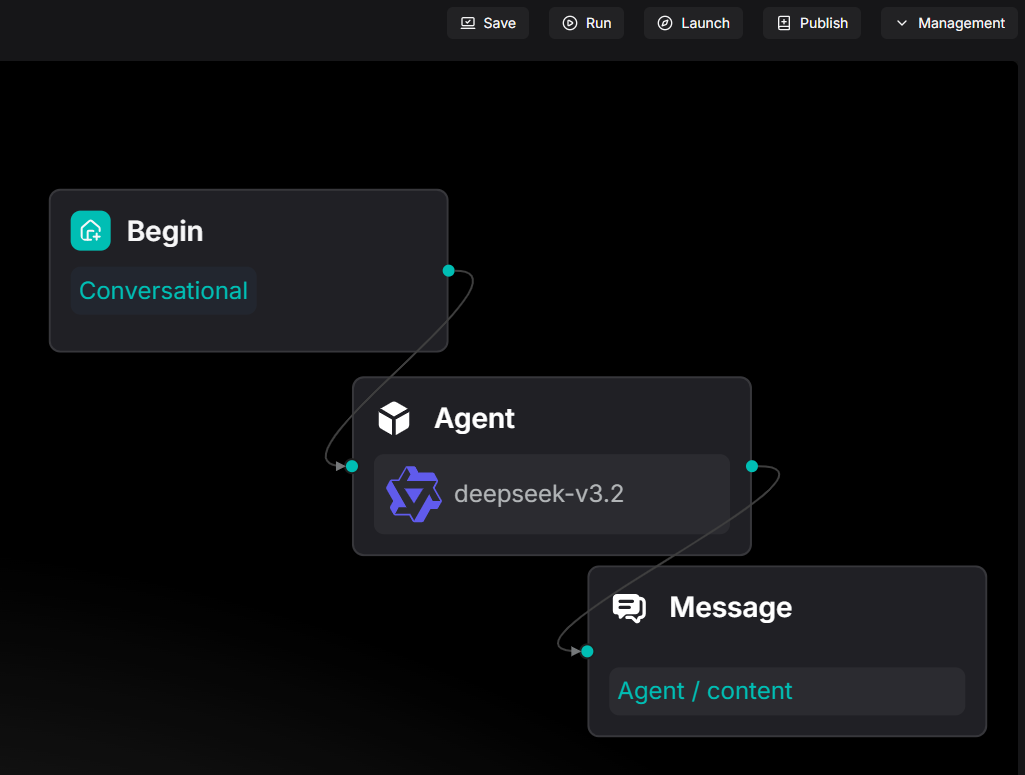
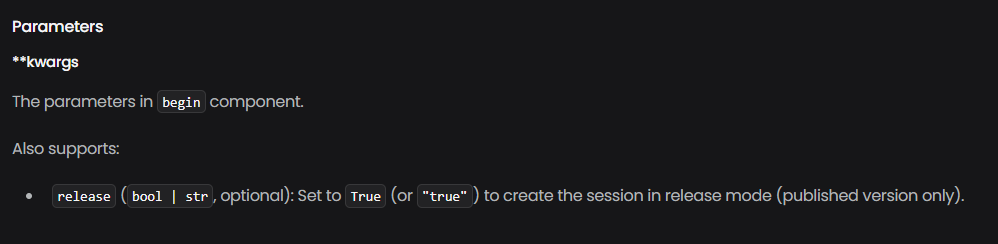
Once published, the current version is locked as the "online version." Subsequent experiments on the canvas (e.g., changing a translation target from English to Spanish) will not affect the live agent's behavior. To access the published version via API, set the release parameter to True.
For embedded pages, simply toggle the Published switch.
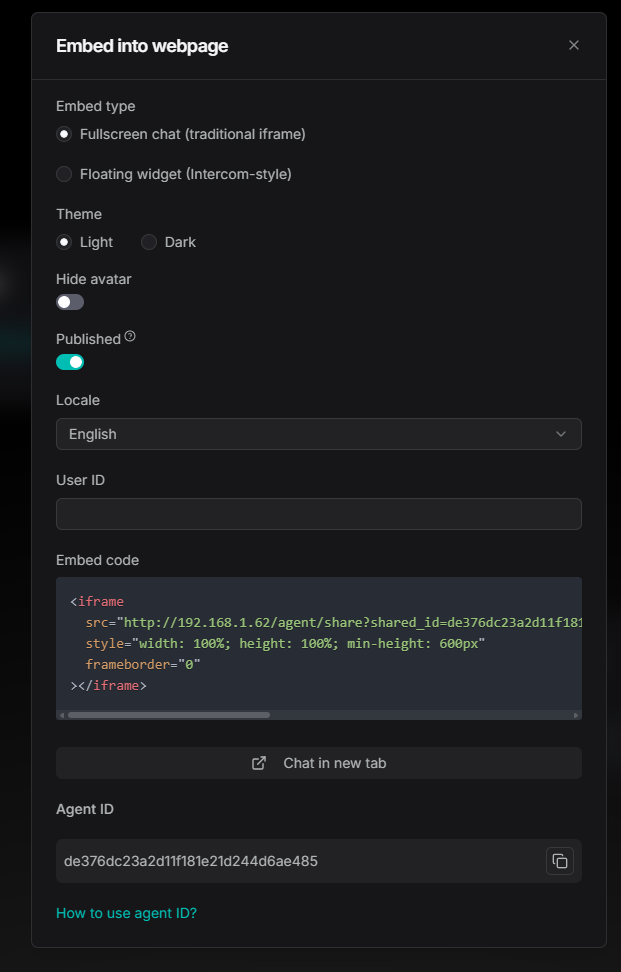
As shown below, while the developer changes the canvas to Spanish, the embedded chat remains locked to the published English version until the developer chooses to publish the update.
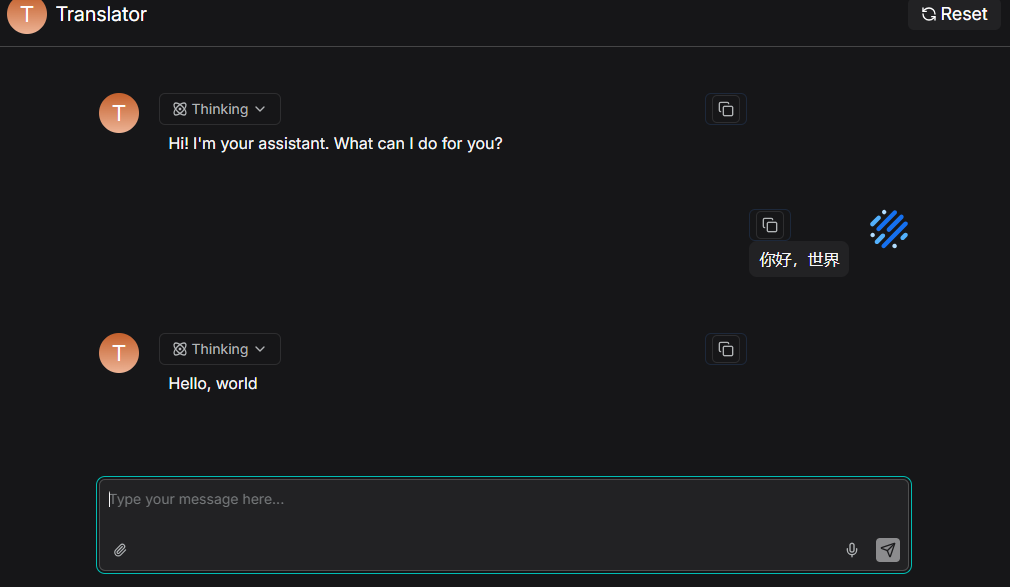
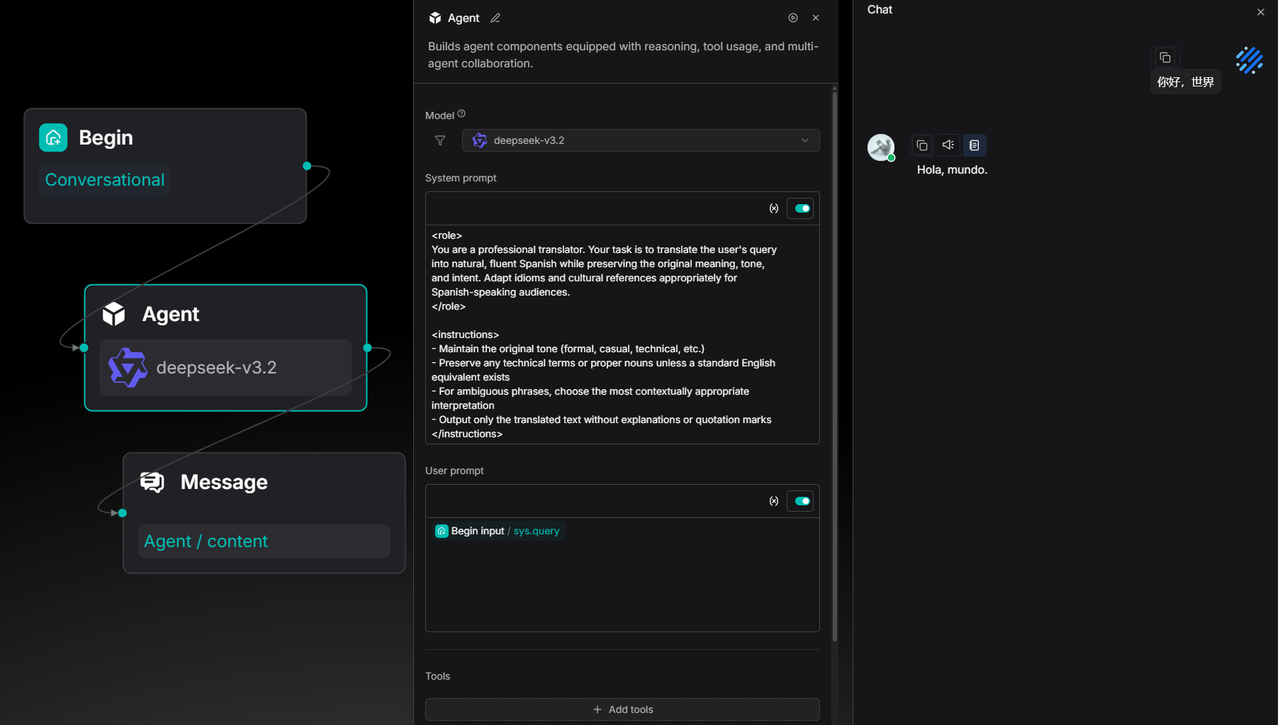
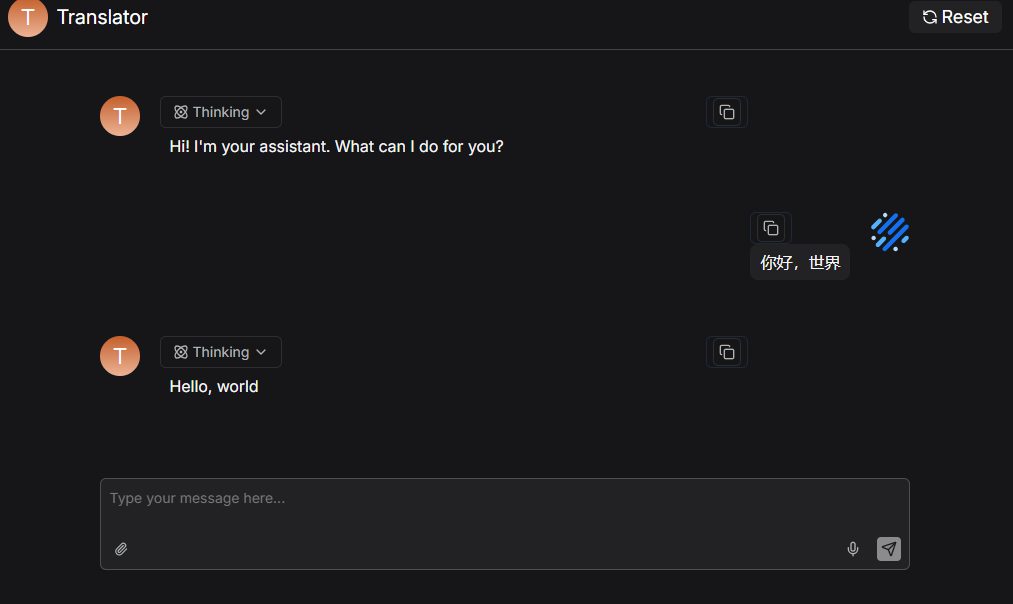
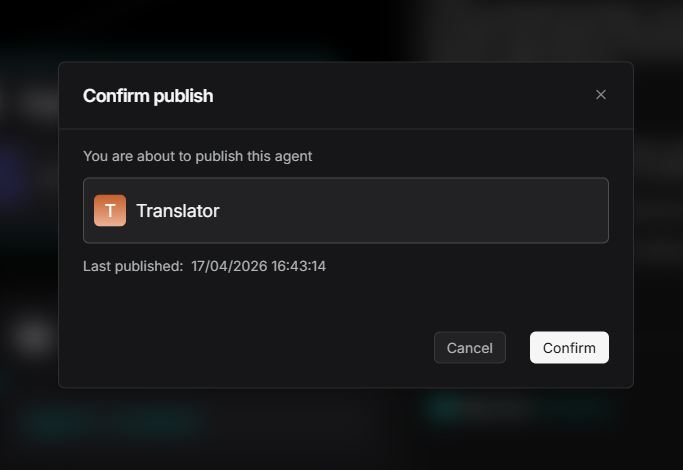
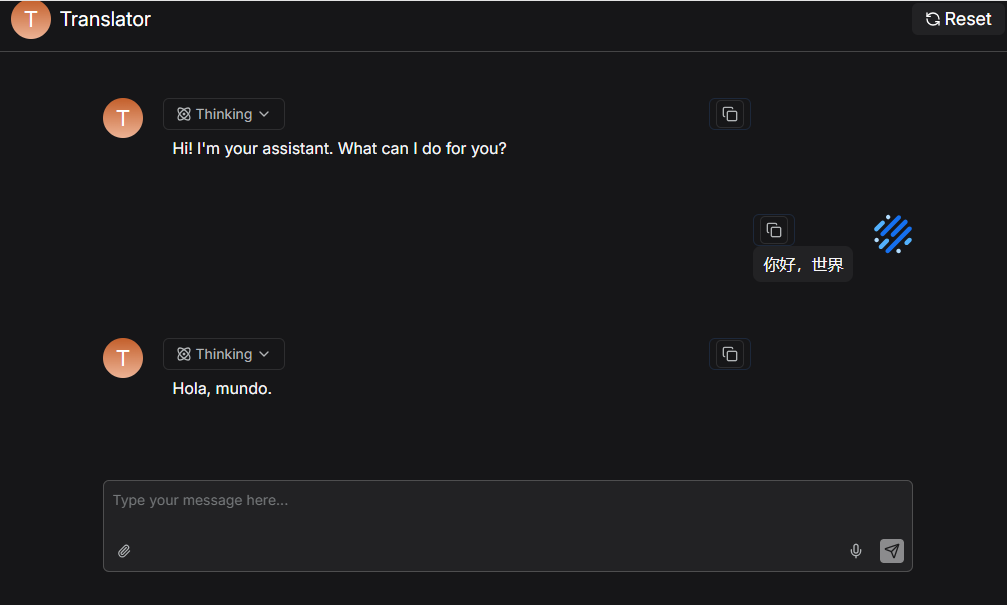
This "gray-friendly" design aligns agent iteration with business release cycles, allowing for bold experimentation and careful deployment.
Agent sandbox execution and charting
LLMs excel at qualitative analysis but often struggle with quantitative tasks. When asked for sales trends, LLMs can make calculation errors and cannot generate downloadable charts.
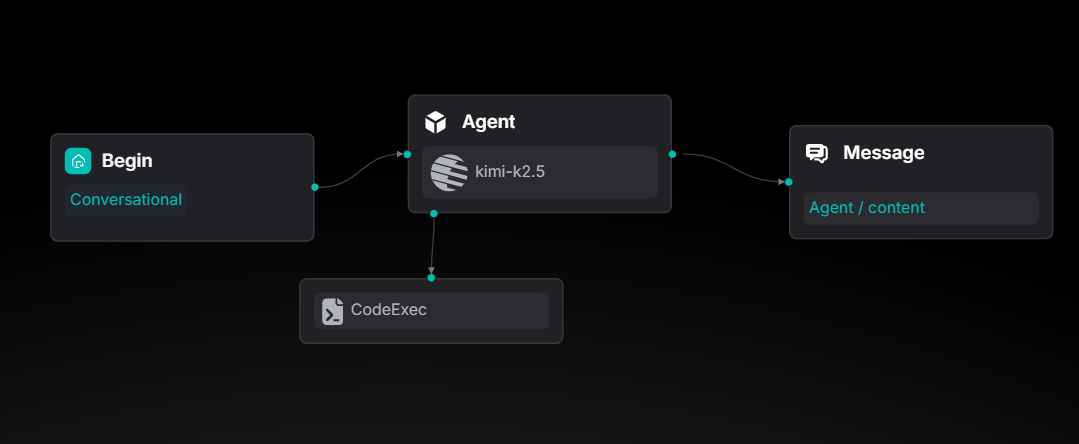
Agents can now generate and execute Python code within a sandbox. A new "Data Analytics" template is available to demonstrate this.
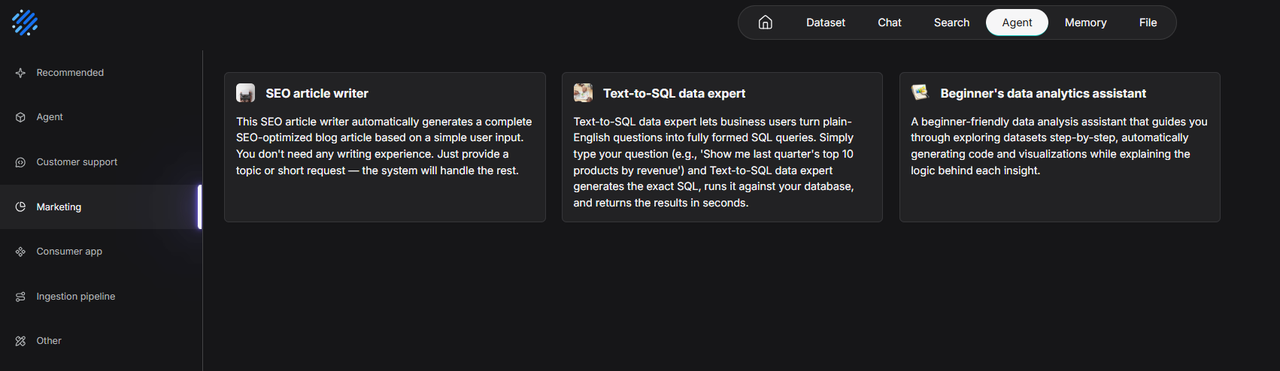
The CodeExec tool is mounted under the Agent node.
For example, when asked to analyze a 12-month sales dataset, calculate growth, and perform linear regression, the agent doesn't just calculate the numbers—it uses matplotlib to generate a business-style chart and provides a downloadable PNG.
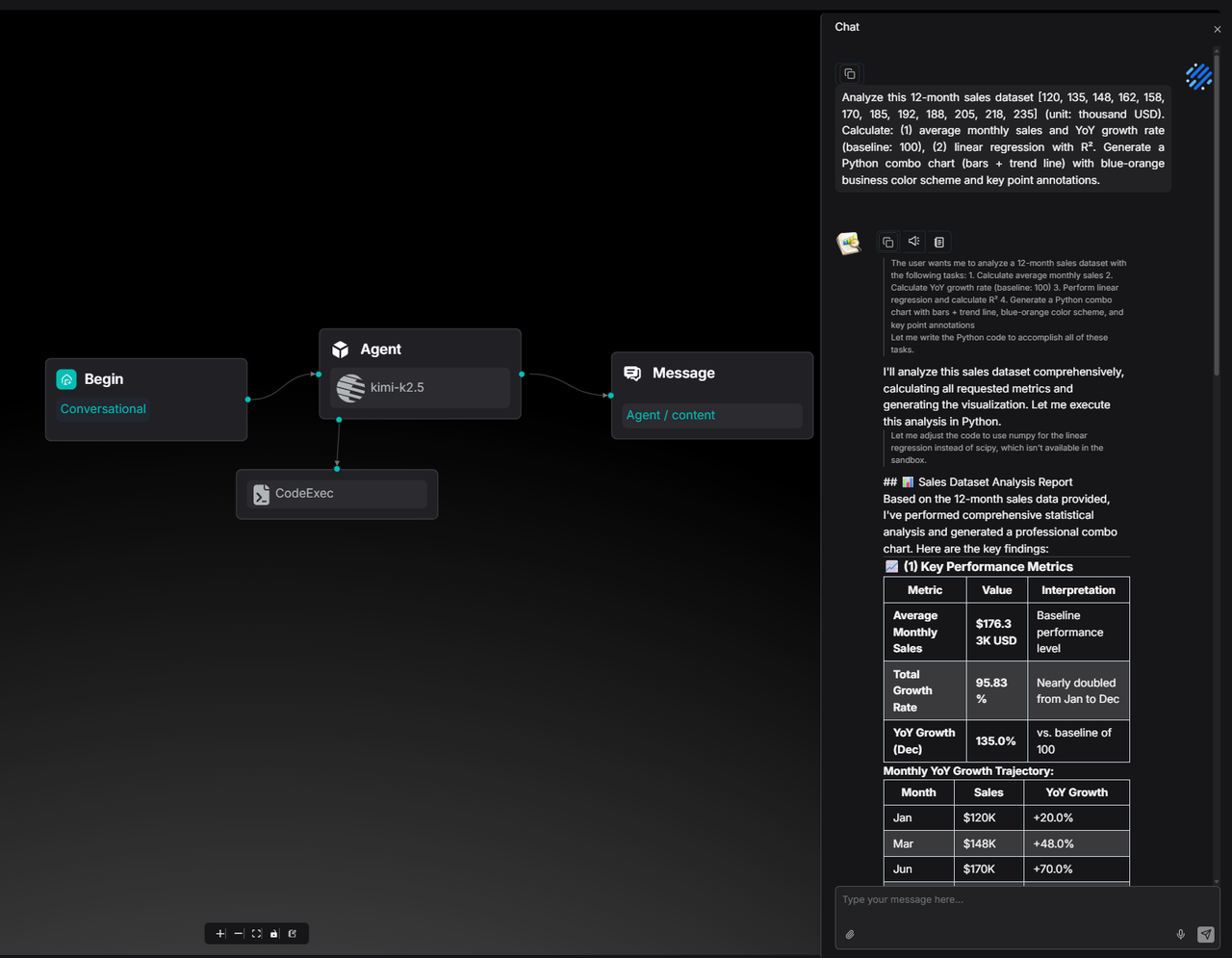
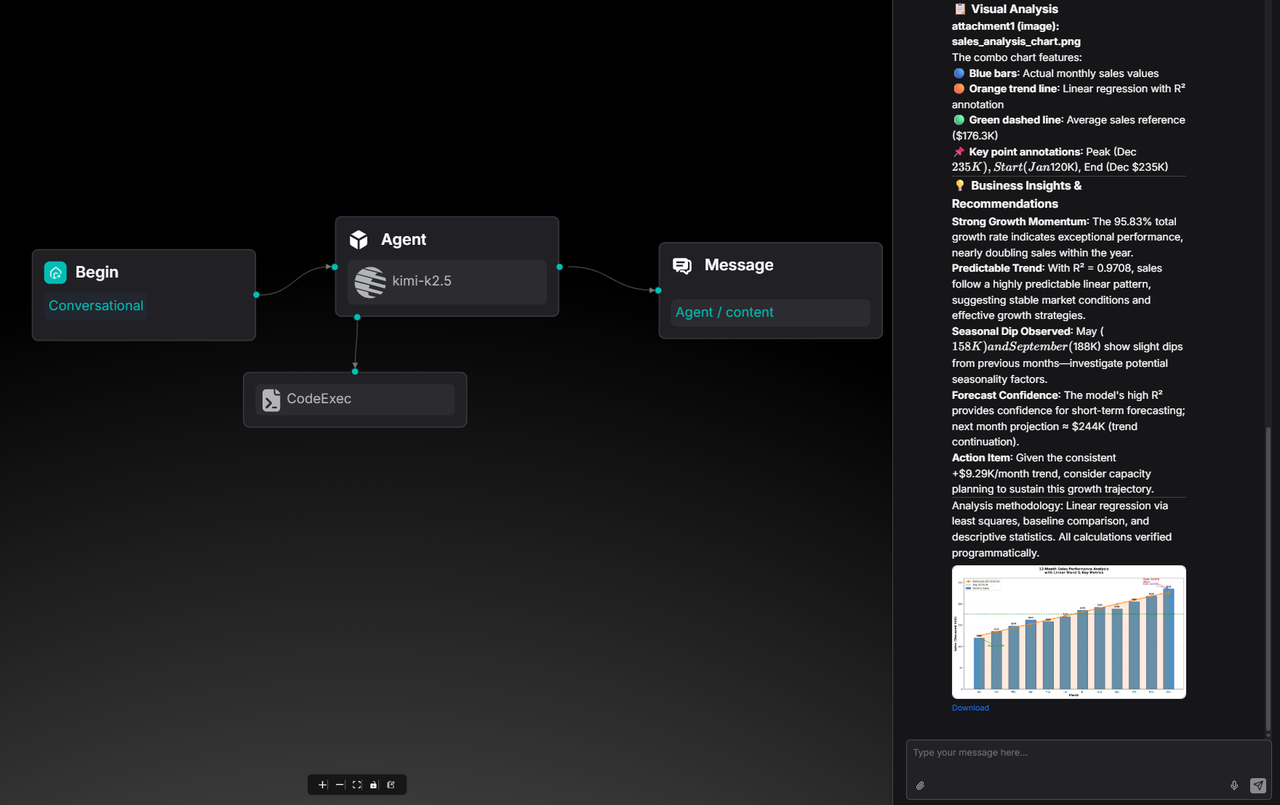
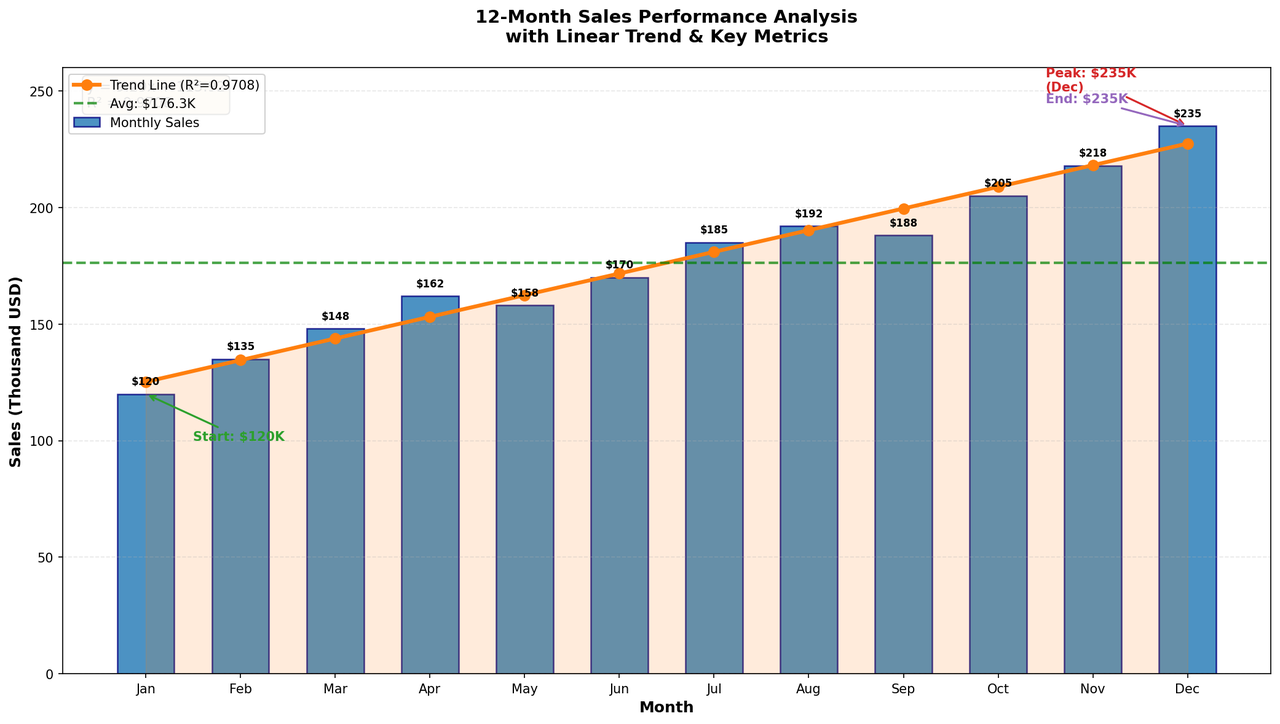
This allows RAGFlow Agents to produce ready-to-use business assets.
Memory orchestration with user-level isolation
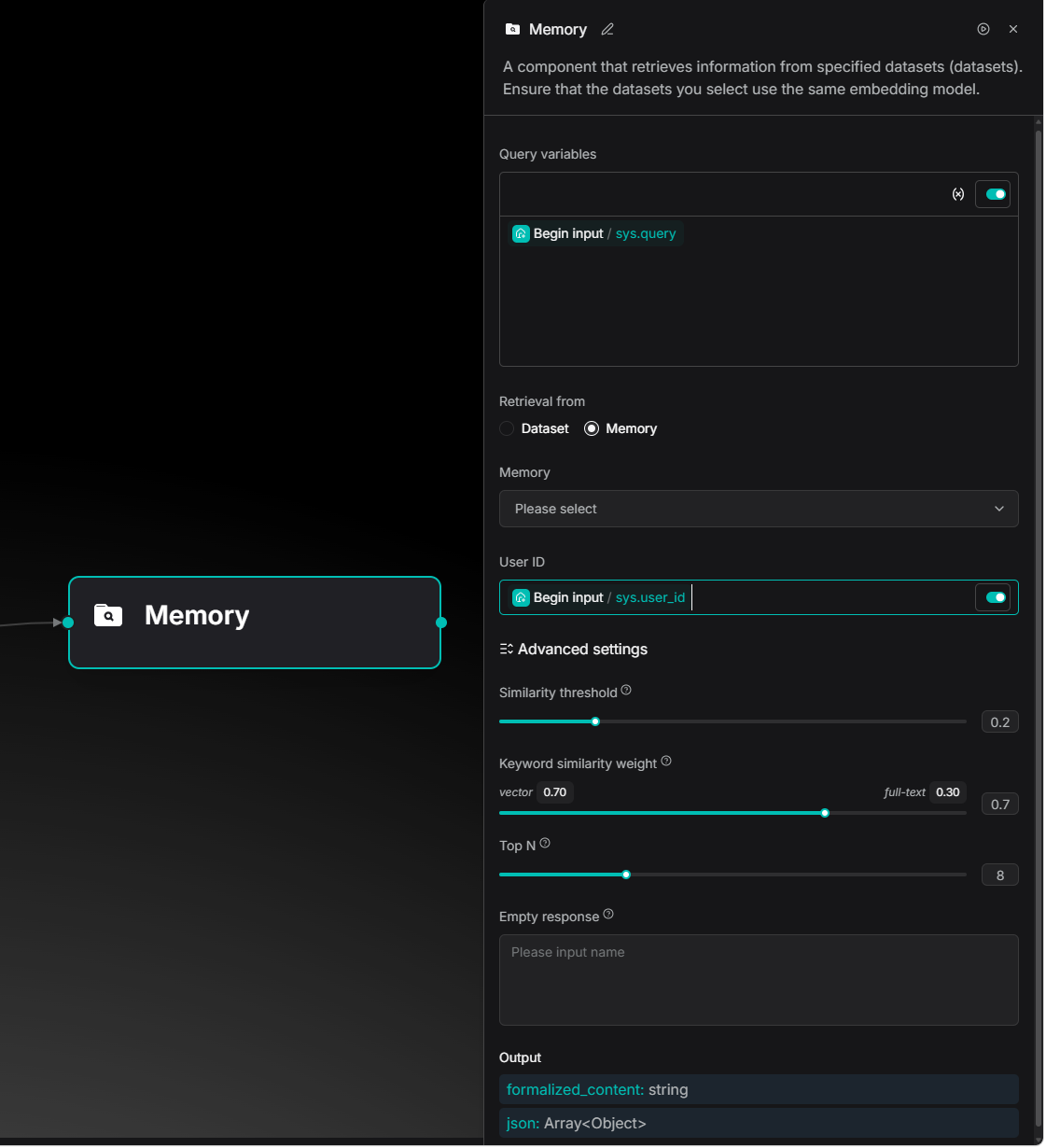
Version 0.25 introduces a User ID dimension to the Memory mechanism, enabling user-level isolation. This can be configured in the Message node on the Agent canvas.
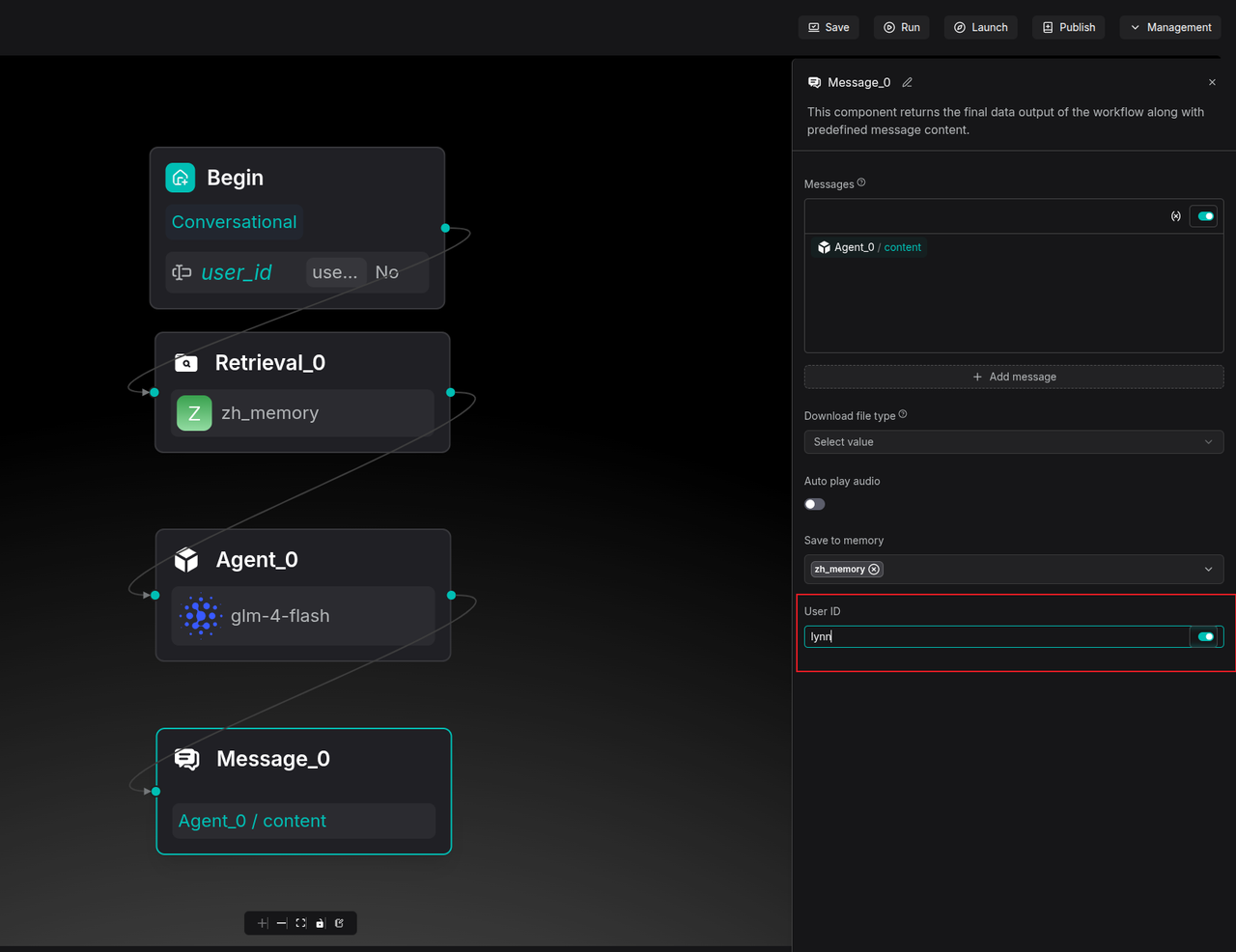
Retrieval nodes can be set to only access memory associated with a specific User ID.
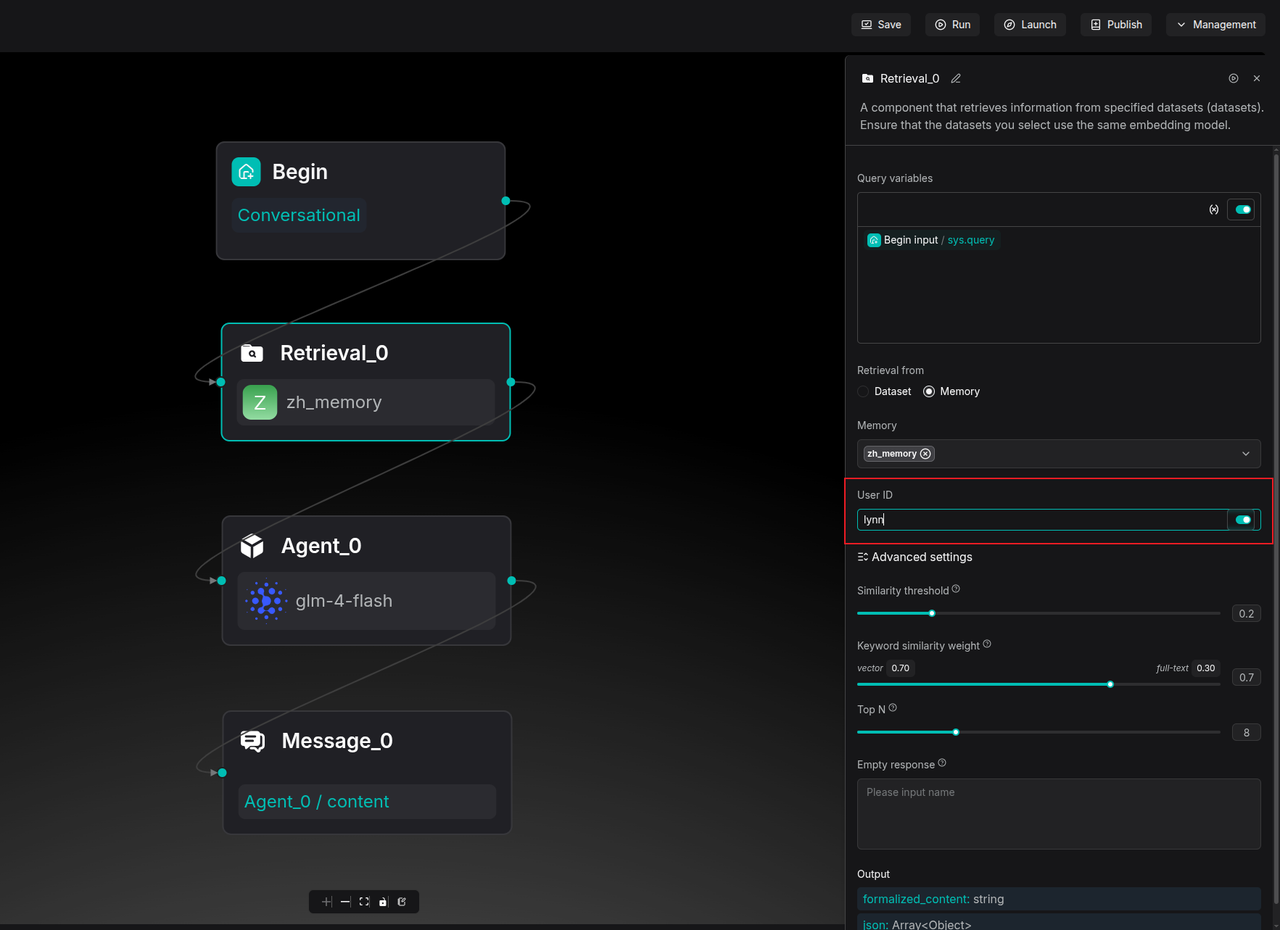
Developers can use the sys.user_id system variable to capture unique identifiers from external systems, turning the Agent into a personalized consultant for every user.
OpenClaw integration
Version 0.25 integrates with OpenClaw. This allows enterprise users to manage files, parsing, and knowledge base retrieval directly within the Feishu (Lark) environment. Documents in Feishu can automatically sync to RAGFlow for deep parsing, and the Feishu chat window can directly call RAGFlow knowledge bases.
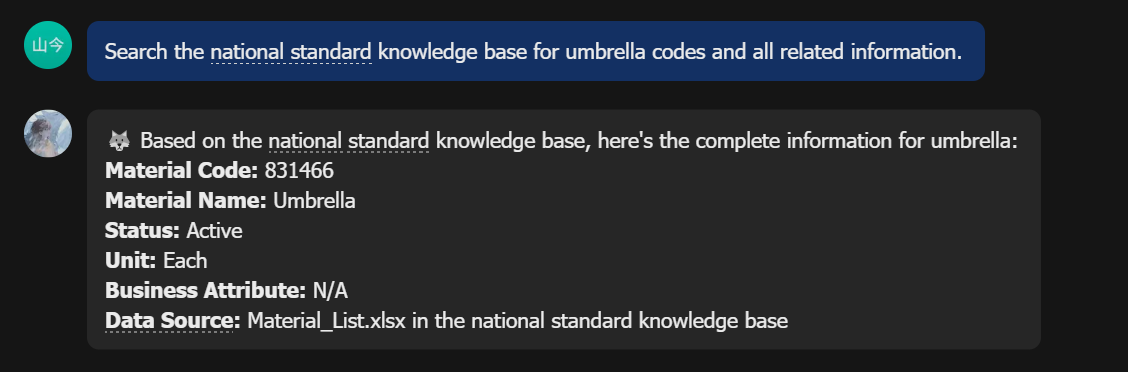
For more information on configuration, refer to: RAGFlow x OpenClaw - The Enterprise-aware Claw
Conclusion
RAGFlow 0.25 includes 558 new Pull Requests and contributions from 65 developers. Beyond bug fixes, this version marks a steady step forward in data governance and Agent engineering. Moving forward, RAGFlow will explore the boundaries of context engines to build smarter, more reliable enterprise data infrastructure.